
B-01Features
Everything it does. Nothing it does not.
Nine parts of one tool, each shown with a real screenshot. If it is not on this page, QuoteKit does not do it.
A-00Three kinds of line
Jobs are priced in labor, materials and fees. So is every quote.


A-01Builder
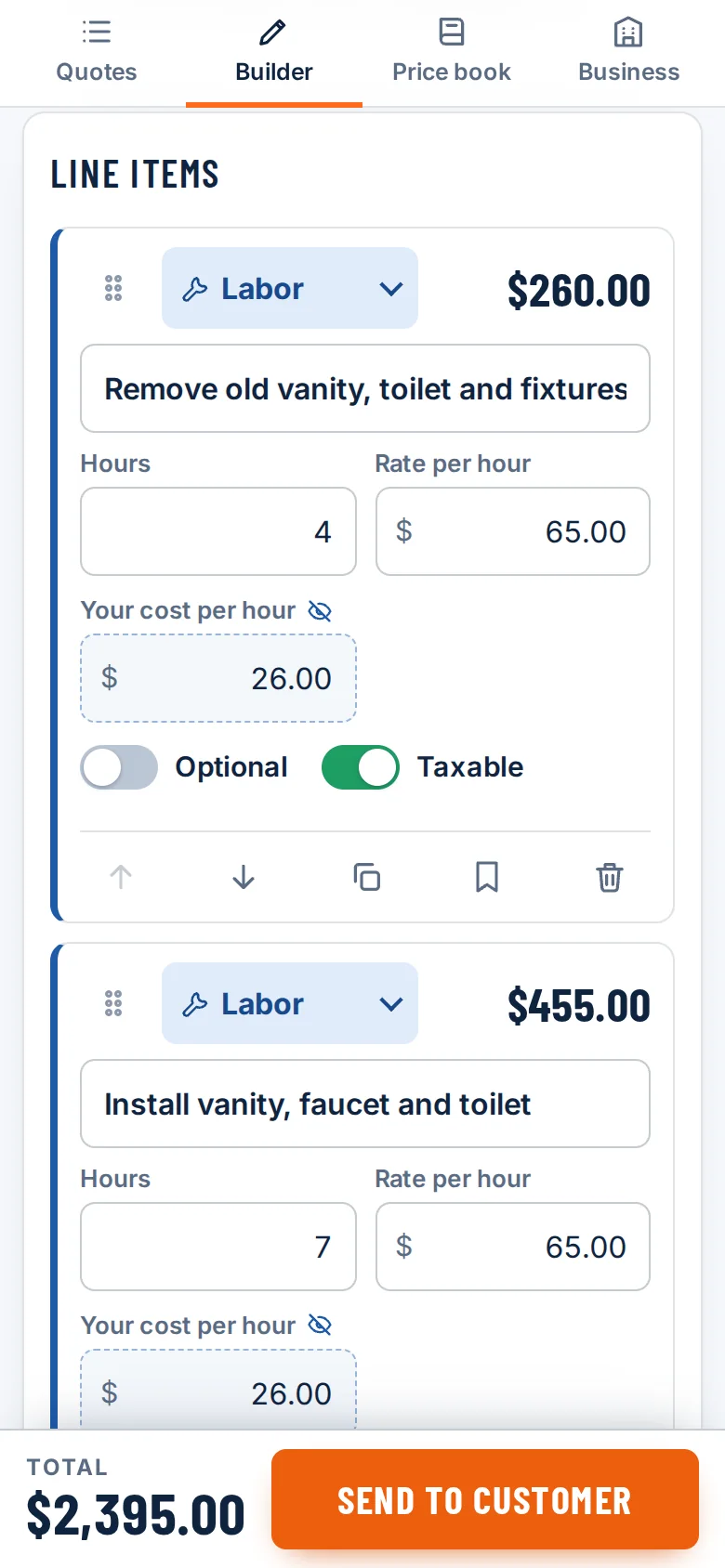
A builder that thinks in labor, materials and fees
Three kinds of line, because that is how jobs are priced. Labor is hours times your rate. Materials are quantity times what you pay, plus your markup. A flat fee is a flat fee. Drag lines into order, duplicate them, and undo a delete.
- Discount in dollars or percent
- One tax rate per quote, each line taxable or not
- A "good until" date, notes and terms
- Choose whether the customer sees hours and quantities
A-02Profit
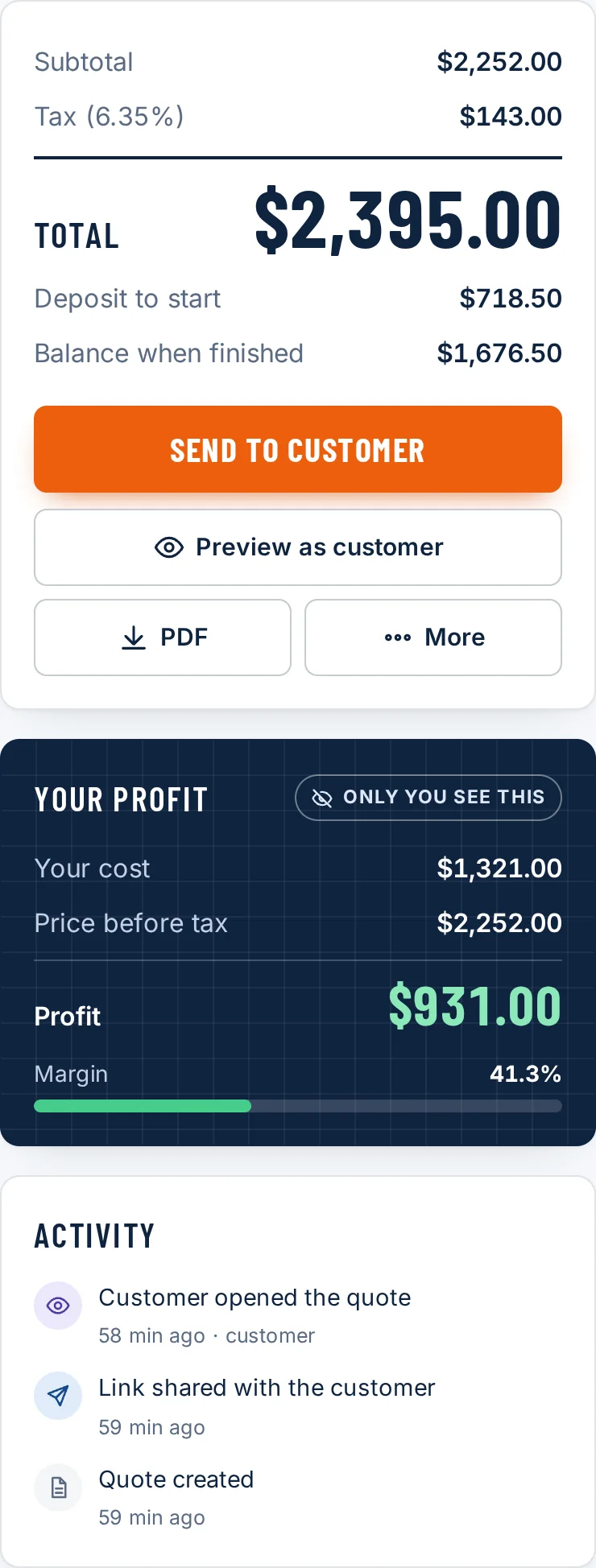
Your profit, in plain sight. Only yours.
Put your own cost next to each line and the profit panel shows cost, price before tax, profit and margin as you type. It is never printed, never in the PDF, and never sent: the customer link is built from a copy with the costs taken out on the server.
- Cost, price, profit and margin update live
- Fields the customer never sees are marked with a crossed-out eye
- Works on every plan, including Free
A-03Send
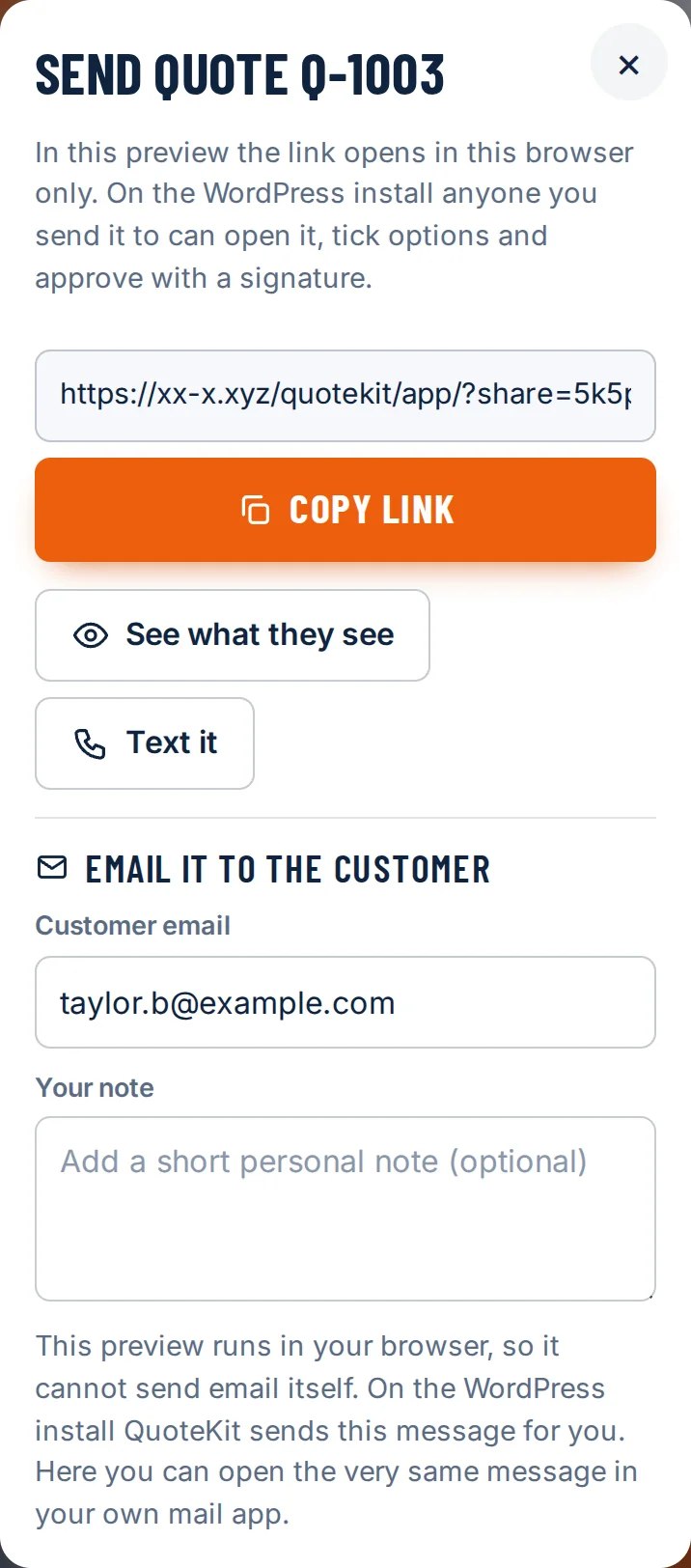
One link. Text it, share it, or email it.
Saving a quote gives it a link. Copy it into a text message, use your phone's share sheet, or on Pro and Crew email it from QuoteKit with your own note. "See what they see" opens exactly what the customer gets.
- No app or account for your customer
- Copying the link marks the quote as Sent
- The email wording is yours to edit in the settings
A-04Approve
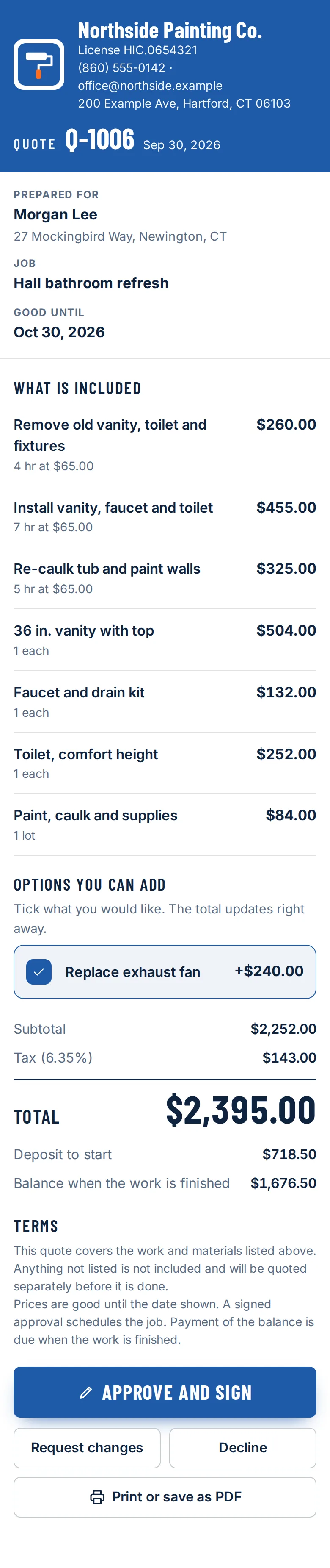
Approve and sign, on any phone
The customer sees a clean page with your name, logo, license number and color. They can tick the options you offered, then approve with a typed name and a signature drawn with a finger. If they cannot draw, they can sign with their typed name. They can also request changes or decline, with a message.
- The approved total is worked out again on the server
- You get an email when they open, approve, ask for changes or decline
- An expired quote cannot be approved
A-05Signed record
A signed record you can point to
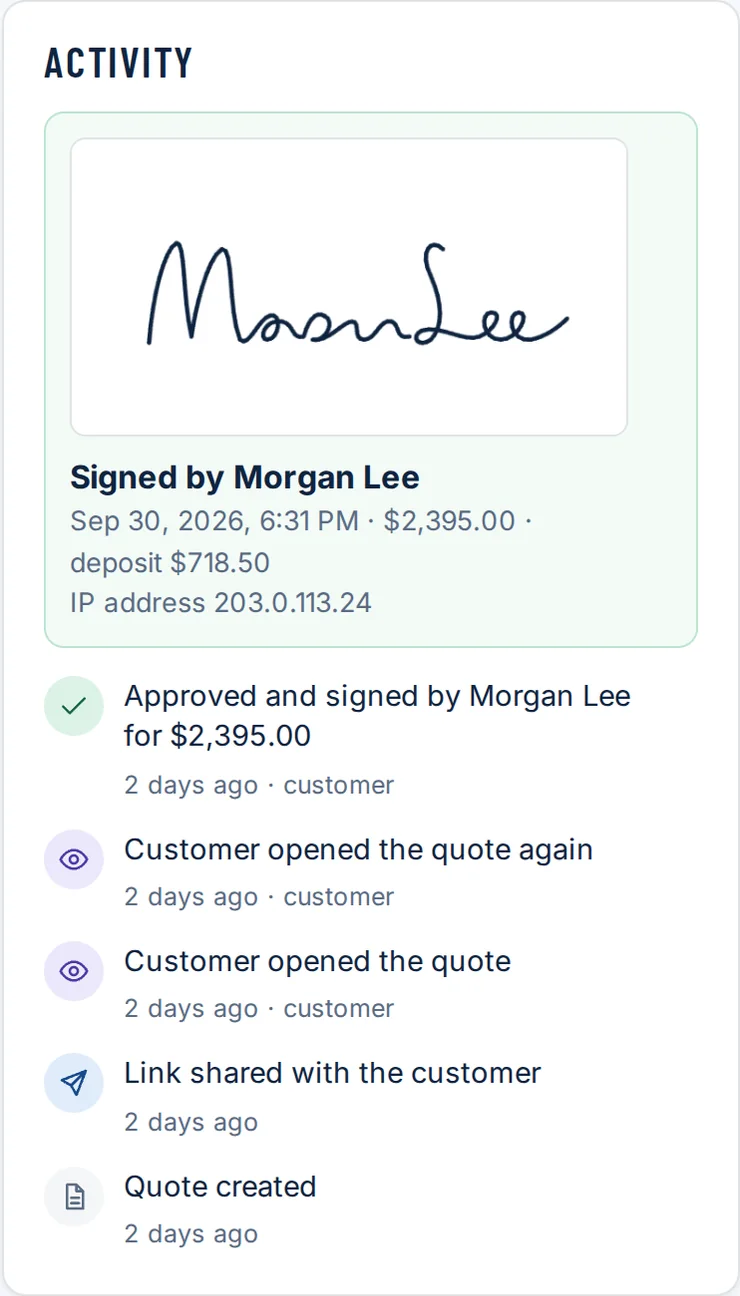
Every approval keeps the signature image, the name typed, the date and time, the amount approved and the IP address it came from. The quote locks. If you reopen it to edit, the old approval stays in the activity log.
- Activity log: created, shared, opened, approved
- How many times the customer opened it, and when
- Crew: export the audit trail as a CSV file
A-06Dashboard
Every quote, one screen
The dashboard lists every quote with its number, customer, status and total. The headline numbers are added up from your saved quotes and nothing else: open pipeline, approved this month, and win rate.
- Six statuses: draft, sent, viewed, approved, changes requested, declined
- Search by customer, job or number
- Duplicate a quote to start the next one

A-07Price book
A price book of the things you quote every week
On Pro and Crew, save any line to your price book with its unit, cost and markup. Next time it is one tap to add it to a quote.
- Save a line straight from a quote with the bookmark
- Labor, materials and flat fees
- Edit a price once, use it everywhere after

A-08Business
Your name on it, not ours
Add your business name, logo, license number, phone, email and address once. Pick a brand color and see the customer view change as you do. Set your default tax rate, materials markup and terms so a new quote starts right.
- Logo is resized in your browser before it is saved
- Pro and Crew remove the "Made with QuoteKit" line
- Crew: your own quote number prefix and starting number

A-09PDF
A clean PDF when someone wants paper
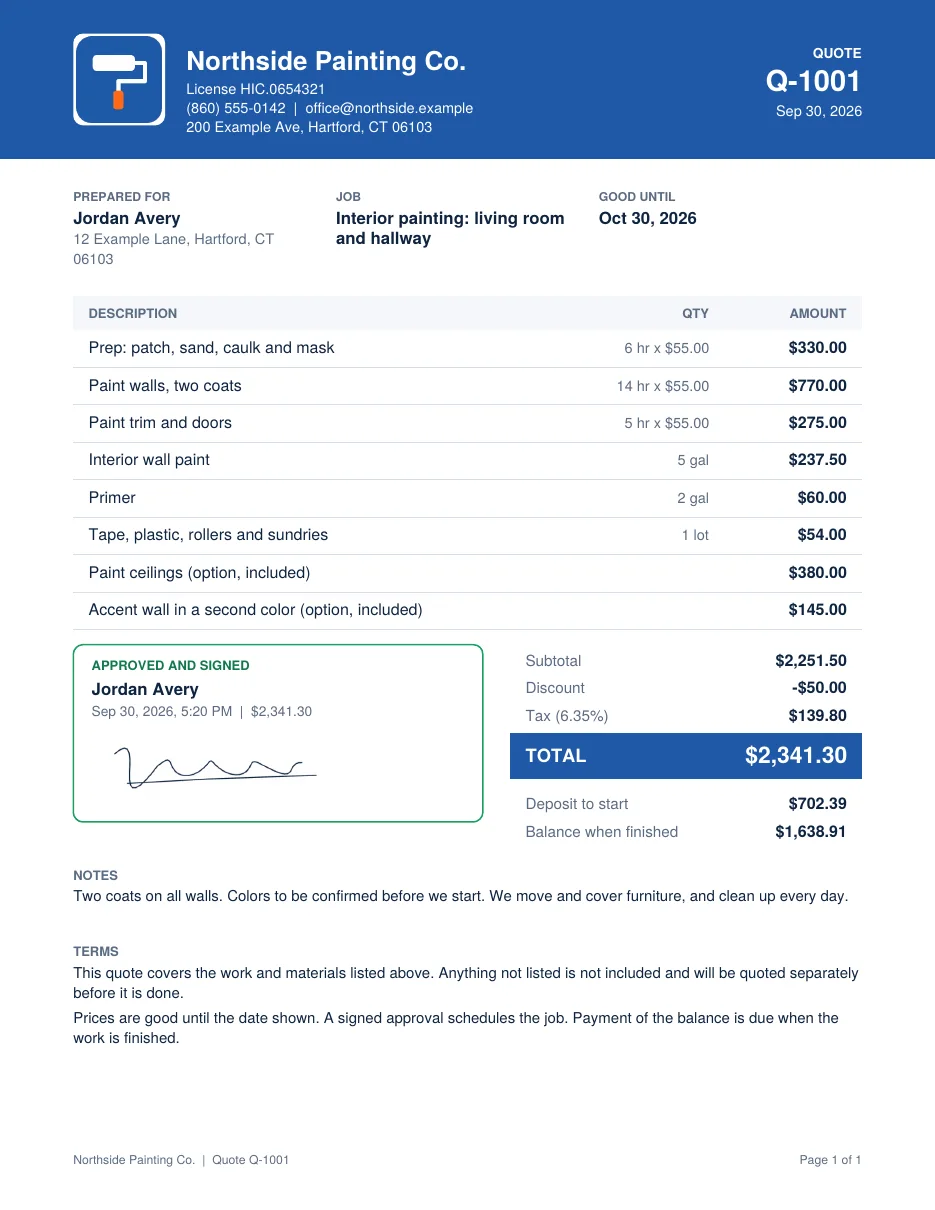
On Pro and Crew, download a letter-size PDF with your header, the items, totals, terms, and either signature lines or the signed approval. Every plan can print the customer view. Neither ever shows your costs.
- Built in your browser, nothing uploaded
- Includes the signed record once approved
- A print stylesheet for the customer view
A-10Try the math
Change a number. Watch it add up.
This is not a picture. It runs the same math module as the builder, loaded from the tool: whole cents, each line rounded once, tax rounded once.
ENDYour turn
Seen enough screenshots? Use the real thing.
The builder opens with an example quote. Nothing to install, no account until you save.
Free for 3 quotes a month. Pro is $19/mo, Crew is $39/mo.