
LocalMatch

For mobile detailers

Leads in the towns you cover. Look first, then decide.

A free profile, every lead readable before you spend anything, and at most 3 detailers on any one job. Pay per accepted lead, or a flat monthly fee for up to three towns.

Create a free profile See pricing

A mobile detailer washing a blue car beside his van, with spray bottles and brushes racked on the door

How leads work

Four screens between you and the job

  1. 1

    Set up your profile

    Business name, a logo or photo, a few honest lines, your phone, years in business and whether you are insured. Then pick the towns you cover, one by one or a whole county, and the services you offer with a starting price each.

    • A live preview shows how customers will see you
    • A person checks new profiles before they go public
    • Free to create and free to keep
    The profile editor with a live “How customers see you” card
    Real screenshot of the tool. The detailers in it are sample listings and the customer is an example.
  2. 2

    Read every lead before you pay

    New requests in your towns, for services you offer, land in your leads and in your inbox. You see the vehicle, its condition, the work, the place, water and power, the dates, the notes, the photos and the typical range the customer was shown.

    • The customer’s name, phone and email are locked
    • Each lead shows how many of the 3 places are taken
    • Pass on a lead and it leaves your list
    The leads inbox: three example jobs with full details, and a locked box where the customer’s contact would be
    Real screenshot of the tool. The detailers in it are sample listings and the customer is an example.
  3. 3

    Accept, and the customer appears

    Accepting spends one credit (or nothing in a Territory town) and unlocks the customer’s name, phone and email. Send your price, the earliest day you can come and a short message. “Write a draft for me” starts the message from the job itself.

    • A confirmation shows the cost before you commit
    • Change your offer any time until the customer chooses
    • The customer is emailed your price
    A job after accepting: the customer’s name, phone and email revealed, and the offer form with a drafted message
    Real screenshot of the tool. The detailers in it are sample listings and the customer is an example.
  4. 4

    Win the job, do the work, earn the rating

    If the customer picks you, the job moves to Booked and a message thread opens. When the car is finished, mark it done. The customer is asked for a rating, and it appears on your profile under Verified jobs.

    • Pipeline: Accepted, Offer sent, Booked, Done, Lost
    • Ratings can only come from customers who booked you here
    • You are told by email at each step
    A booked job in the pipeline with the message thread between detailer and customer
    Real screenshot of the tool. The detailers in it are sample listings and the customer is an example.

Before and after you accept

Exactly what you see, and when

Nothing about the job is held back. Only the customer’s identity waits for your decision.

Before accepting free to read

  • Town and county
  • Vehicle type and condition
  • Service and extras
  • Where the car will be
  • Water and power on site
  • The days the customer prefers
  • Their notes (phone numbers, emails and links blanked out)
  • Their photos
  • The typical range they were shown
  • How many places are still open
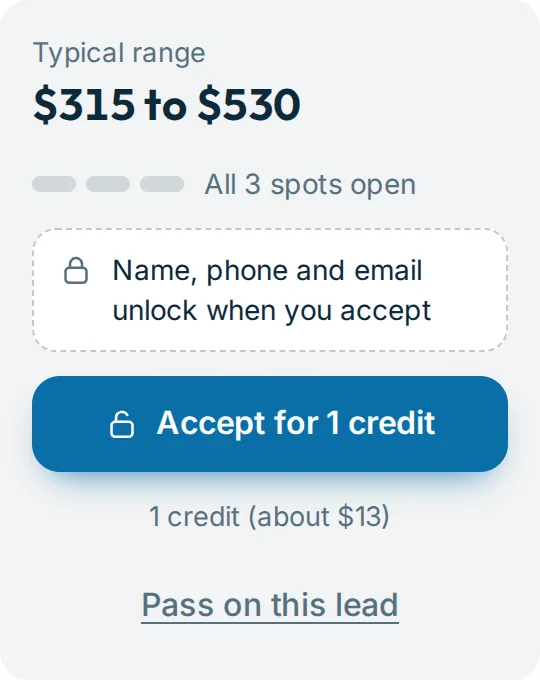
The side panel of a lead before accepting: typical range, places open, the locked contact box and the Accept for 1 credit button

After accepting 1 credit, or free on Territory

  • Everything listed under “Before accepting”
  • The customer’s full name
  • Their mobile number
  • Their email address
  • The notes exactly as written
  • The form to send your price
  • If you are chosen: a message thread
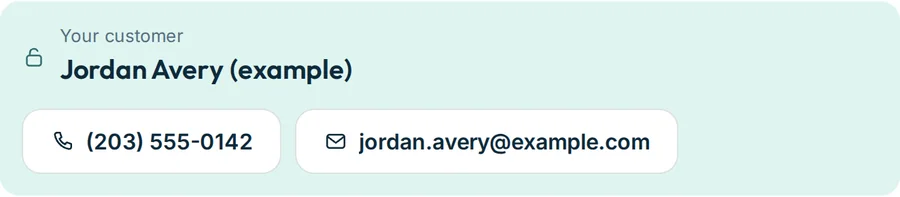
After accepting: Your customer, Jordan Avery (example), with phone number and email
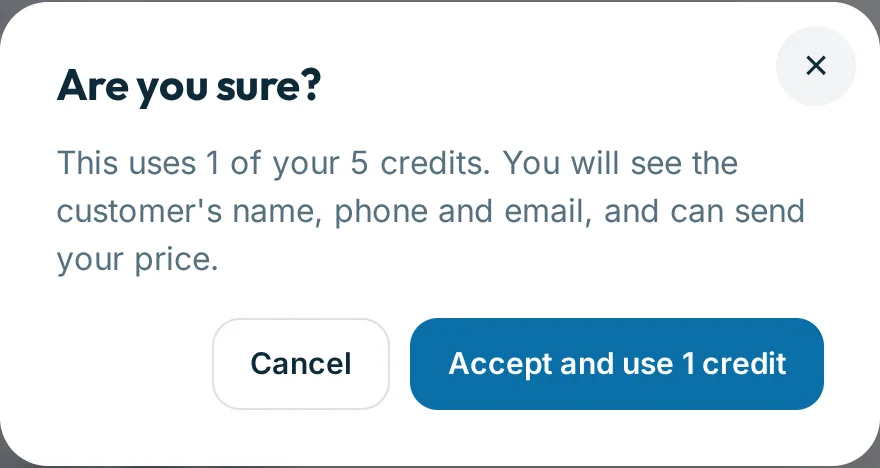
The confirmation before accepting: This uses 1 of your 5 credits. You will see the customer’s name, phone and email, and can send your price.

Two ways to pay

Per lead, or a flat fee for your towns

Pay per lead

$0/month

Listed in the directory. Pay only when you accept a lead.

  • Listed in the directory
  • 1 credit per accepted lead
  • See every lead in your towns before you pay

Territory

$99/month

Pick up to 3 towns and accept every lead there at no extra cost.

  • Choose up to 3 towns
  • Unlimited accepted leads in those towns
  • Featured placement in those towns
  • Credits still work everywhere else

Credit packs: 5 leads for $65 or 12 leads for $144. Credits do not expire. Full pricing

Credits and plan: a balance of 4 lead credits, the two packs, the Territory plan and the history of every credit change
Real screenshot of the tool. The detailers in it are sample listings and the customer is an example.

Straight answers

What we will not promise you

  • A number of leads. LocalMatch is new. Some towns will be quiet at first. That is why listing is free and you pay only when you accept.
  • The job. A credit buys the introduction and the chance to quote. The customer chooses, and up to 2 other detailers may be quoting too.
  • An automatic refund. A credit is not returned if the customer picks someone else or goes quiet. If a lead was plainly not genuine, tell us and a person will look at it.
  • Instant approval. A person reads each new profile before it goes live.

Questions from detailers

Before you sign up

Is it free to be listed?

Yes. A profile in the directory costs nothing. You only spend a credit when you accept a lead, unless you are on Territory in that town.

Can I see a lead before I spend a credit?

Yes, all of it except who the customer is. Vehicle, condition, service, extras, town, place, water and power, dates, notes, photos, the typical range and how many places are left.

How fast do I need to respond?

There is no timer, but a request takes at most 3 detailers and stays open for 14 days. The first to accept get in, and customers tend to pick from the first clear offers they see.

What do I send as an offer?

A price, the earliest day you can come and a short message. “Write a draft for me” fills the message from the job itself so you can edit and send. You can change your offer until the customer chooses.

What happens after I am chosen?

You get an email, the job moves to Booked, and you and the customer can message each other on the job. When the work is finished, mark it done. The customer is then asked for a rating, which shows on your profile under Verified jobs.

Is my phone number public?

Not by default. A customer sees your phone once they choose you. The site owner can switch on showing phone and website on public profiles.

What if the customer never answers?

It happens on every marketplace. A credit buys the introduction, not the job, so it is not refunded automatically. If a lead was clearly not genuine, tell us through the Contact page and a person will look at it.

How does “Featured” work?

On Territory, your profile is listed first in your chosen towns with a Featured badge.

Put your business on the map.

A profile takes about three minutes and costs nothing. Leads in your towns start arriving once it is approved.

Create a free profile See pricing