SiteScout
Try it free

Find the businesses your competitors haven’t called yet.

Pick a town and a trade. SiteScout shows you which local businesses have no website or a weak one, audits each homepage in seconds, and builds the report you send them.

No sign-up to try. A sample town is loaded the first time you open it.

How it works

01of 04

Pick a town and a trade

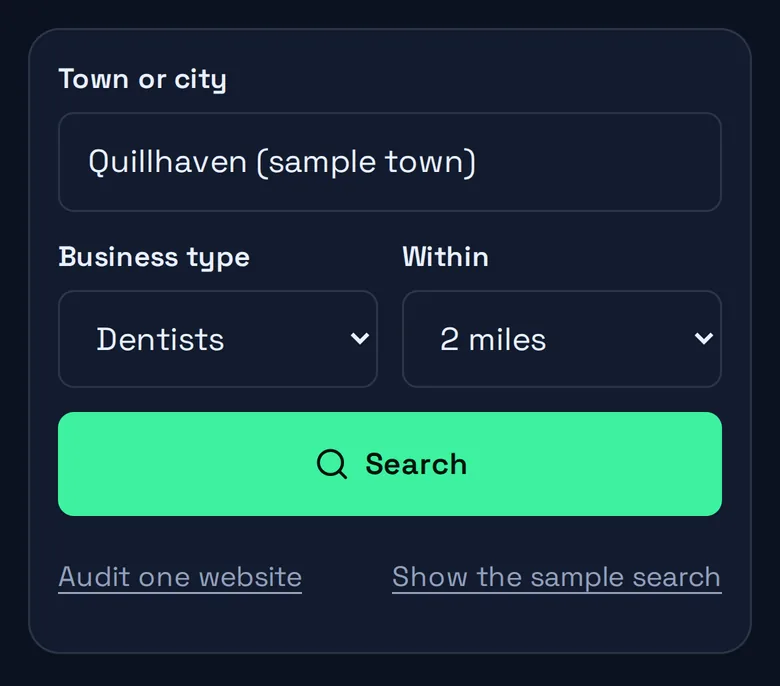
Type any town and choose from 24 kinds of local business, from dentists to roofers. SiteScout pulls every matching listing from OpenStreetMap within the radius you set.

  • 24 business types
  • 1 to 25 mile radius
  • Any town on the map
The SiteScout search bar: a town box, a business type menu, a radius menu and a Search button.
Fig. 1The search bar, exactly as it appears in the tool.
The SiteScout search form on a phone: town, business type, radius and a Search button.
Fig. 1The search bar, exactly as it appears in the tool.

02of 04

See who is invisible online

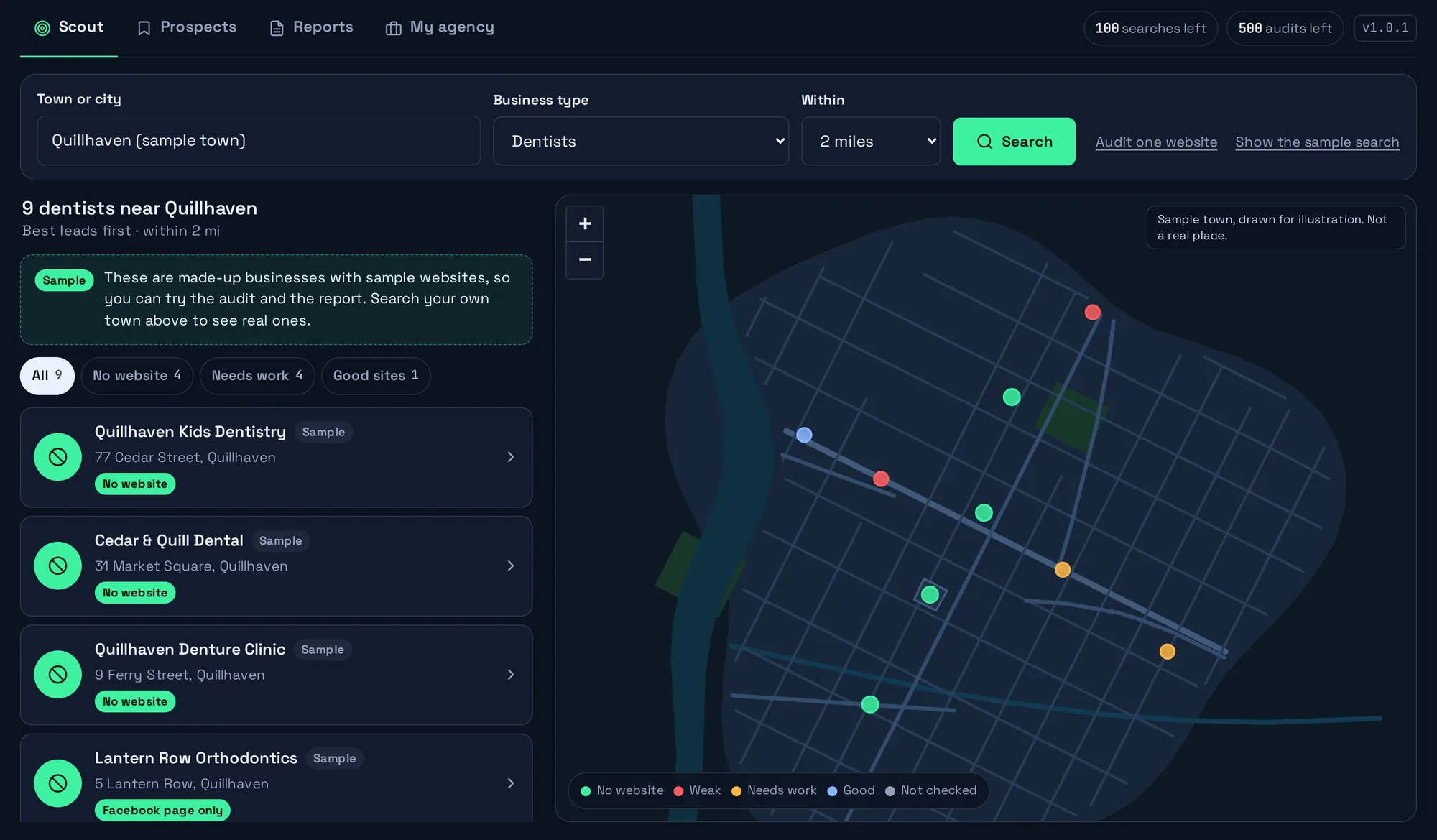
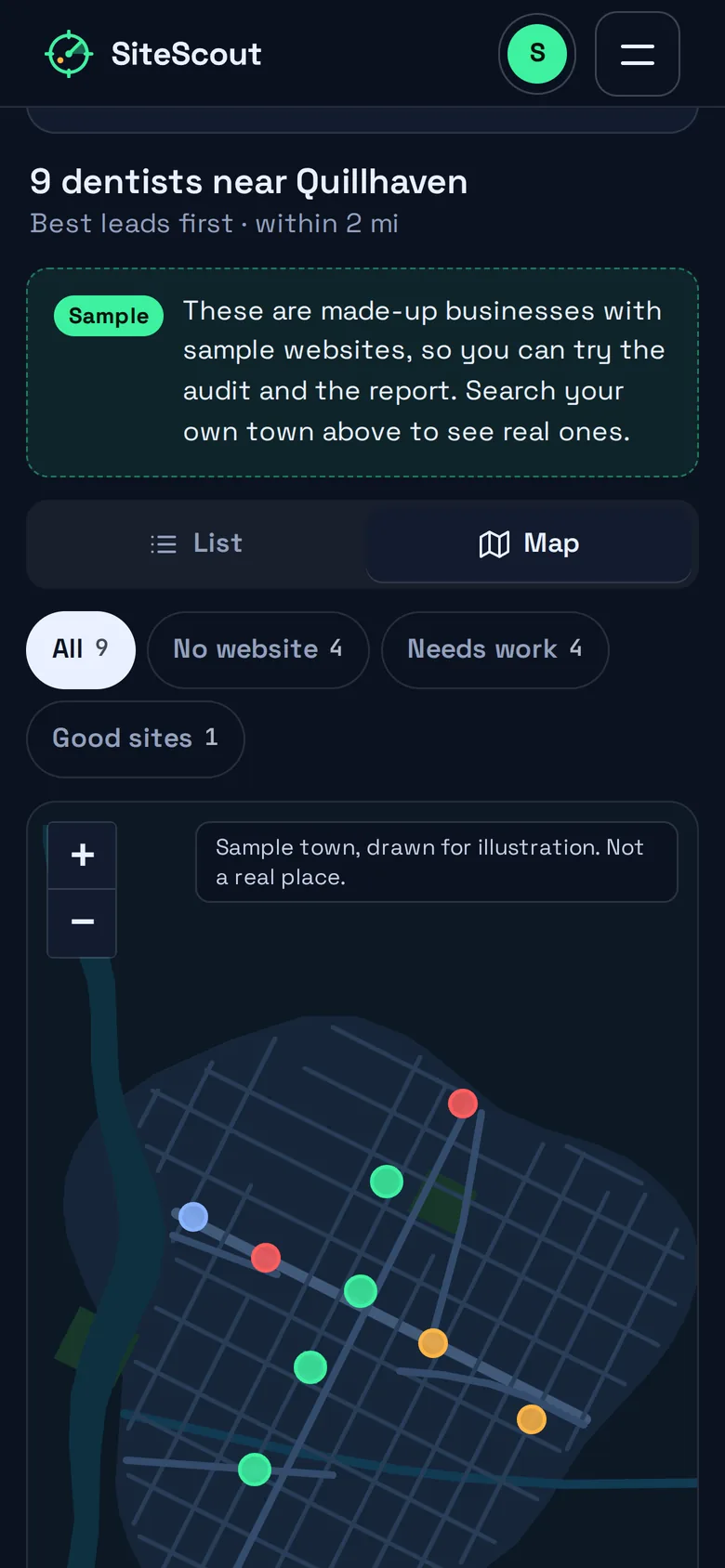
Results arrive as a list and a map, best leads first: businesses with no website, then a Facebook page standing in for one, then sites that are down, then the lowest scores.

  • Sorted by opportunity
  • One-tap filters
  • Color-coded map
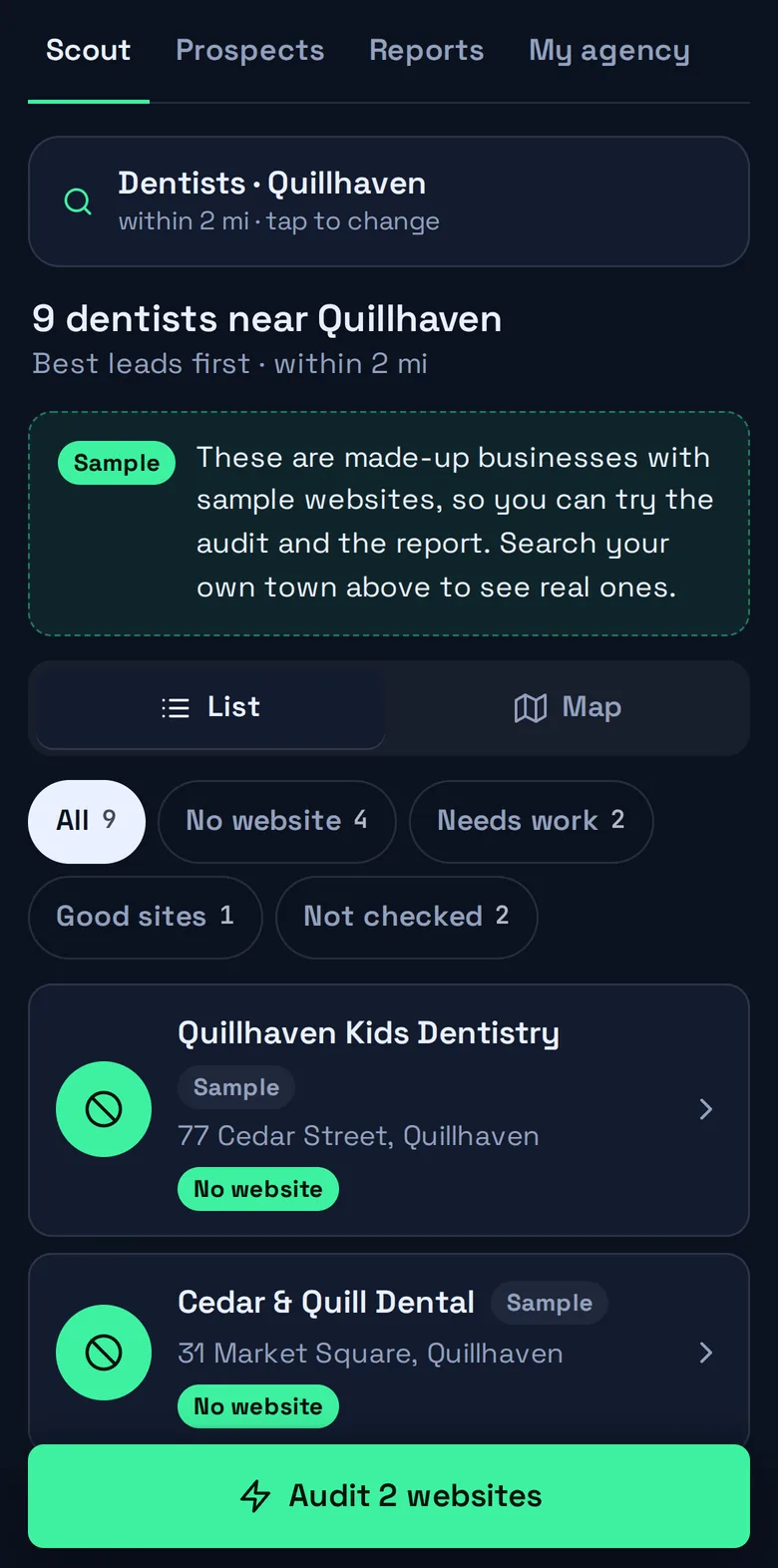
SiteScout results for the sample town: a ranked list of dentists on the left and a map with a colored dot for each on the right.
Fig. 2Sample data. Quillhaven is a made-up town and these dentists do not exist.
SiteScout results on a phone: nine sample dentists, best leads first, with filter chips.
Fig. 2Sample data. Quillhaven is a made-up town and these dentists do not exist.

03of 04

Audit in seconds

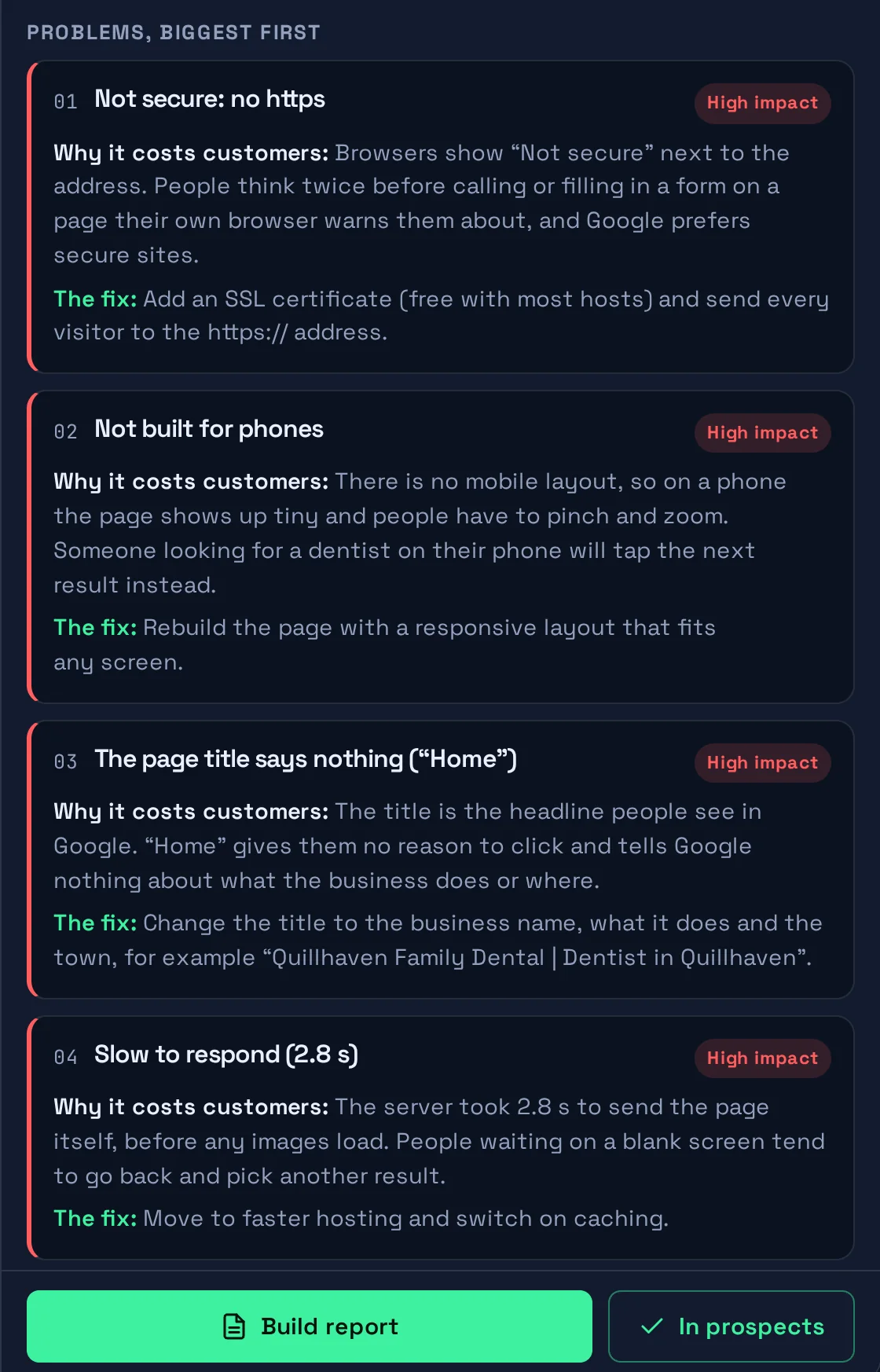
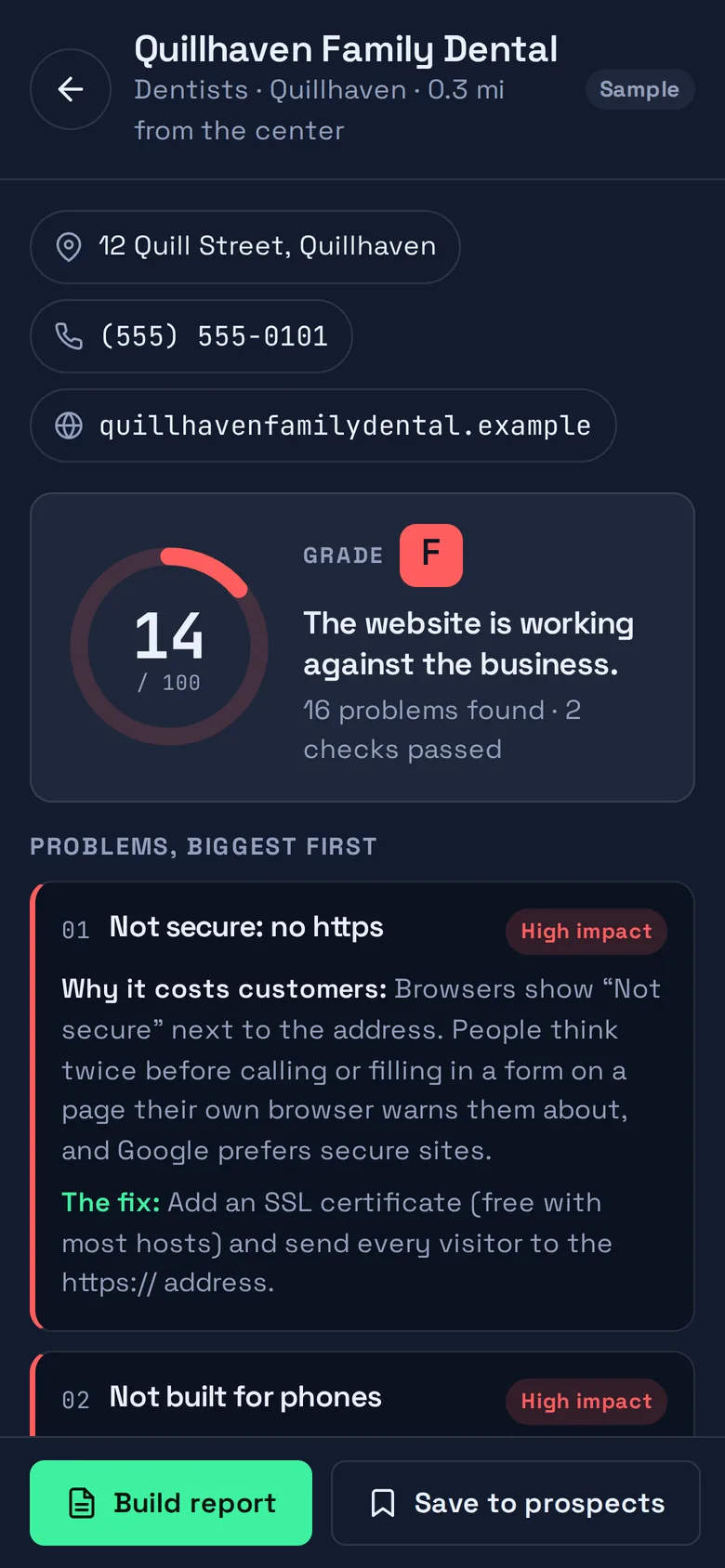
One request to the homepage, 19 checks: https, phone layout, page title, tap-to-call, speed and more. You get a score out of 100, a grade, and every problem ranked by what it costs the business.

  • 19 checks per site
  • Whole list in one click
  • Percentage and time left

All 19 checks, explained

The problems SiteScout found on a sample dental site, ranked from biggest to smallest. Each one says why it costs customers and what the fix is.
Fig. 3A sample page audited by the real engine. The score is computed in your browser as you watch.

04of 04

Send the report that wins the job

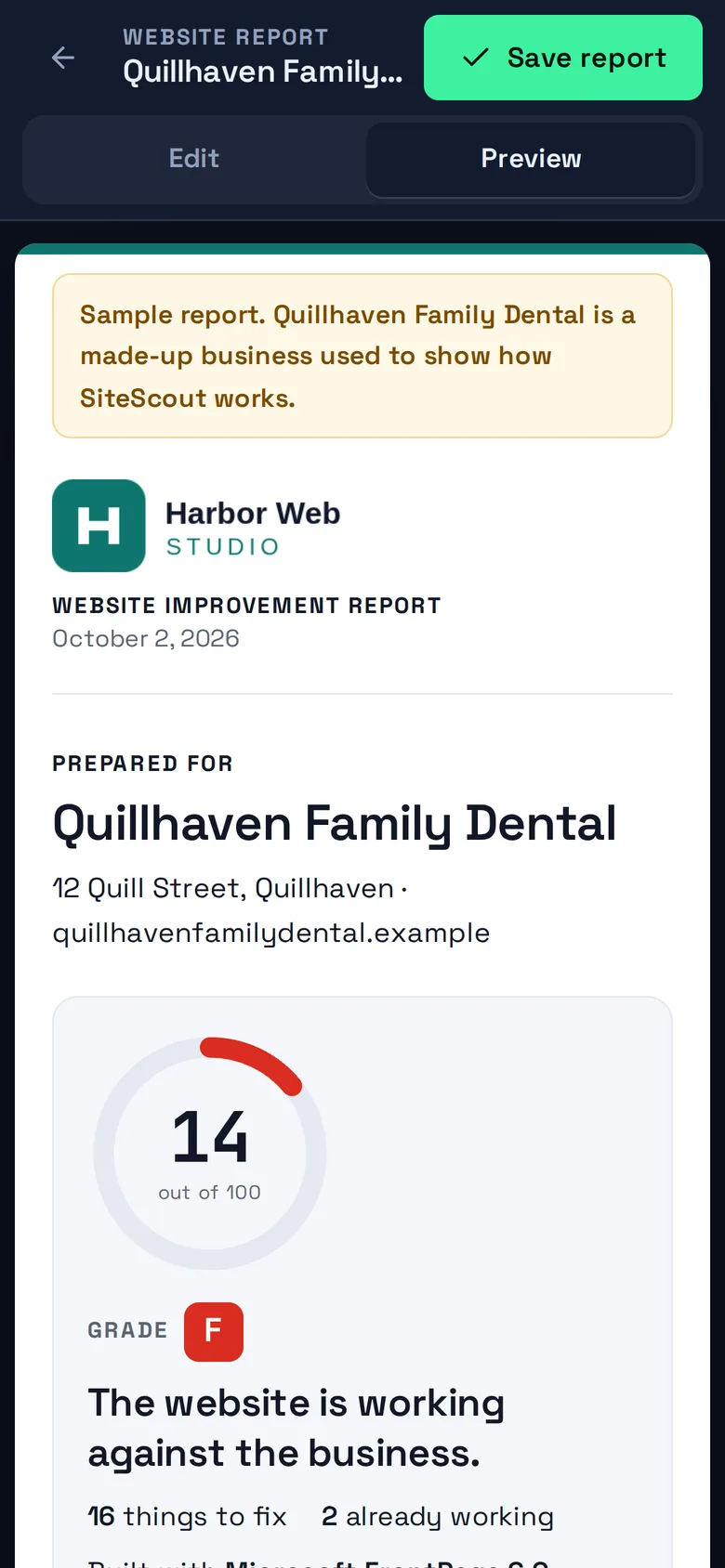
One click turns the audit into a Website Improvement Report with your name, logo and contact details on it. Share it as a link or save it as a PDF. When the owner replies from the report page, you get an email.

  • Your branding
  • Share link or PDF
  • Replies come to you

Walk through the sample report

A finished Website Improvement Report for the sample business, on white paper, branded with a sample agency logo.

Fig. 4Sample report. Harbor Web Studio and Quillhaven Family Dental are made up.

Who it is for

Built for the people who do the building.

A small-town main street at dusk: brick shop fronts, street lamps coming on, an empty road.
Main street after closing. The shops are shut; their websites are still open, or should be.

Freelancers

You build good websites. Finding who needs one is the slow part.

Run a search in the time it takes to drink a coffee. The list tells you who has nothing online and whose site is letting them down, so the first message you send already says something specific and true about their business.

  • Start on the Free plan: 3 searches, 5 audits and 1 saved report a month
  • A report that explains each problem in the owner’s language, not yours
  • An outreach email drafted from the findings, ready to copy

Small agencies

Give whoever does outreach a list that is already sorted.

Search a town a week, audit the whole list in one go, and keep every lead in a five-column pipeline with notes. Reports go out under your agency’s name; on the Agency plan the SiteScout mark comes off entirely.

  • Prospects pipeline: New, Contacted, Replied, Won, Not a fit
  • CSV export for your own CRM or spreadsheet
  • White-label reports and optional Google PageSpeed scores on Agency

The audit

Nineteen checks. Each one is a customer kept or lost.

SiteScout does not grade taste. It checks the things that decide whether someone on a phone can trust the site, read it, find it on Google and get in touch.

Trust and security

25 pts
  • Secure connection (https)14
  • Everything loads securely5
  • Footer date is current4
  • Browser tab icon2

Works on a phone

25 pts
  • Fits phone screens12
  • Tap-to-call phone number7
  • Easy to send a message6

Found on Google

39 pts
  • Clear page title7
  • Search description6
  • Business details marked up for Google6
  • Visible to search engines6
  • Clear main headline5
  • Images are described5
  • Looks good when shared4

Speed and build

15 pts
  • Quick to respond7
  • Lean page code5
  • Software is up to date3

Knows its visitors

7 pts
  • Visitor tracking in place4
  • Links to social profiles3

See every check, what it is worth and how it is scored.

Then run the real audit on four sample pages, right on the page.

What we check

On a phone

The whole thing works from your pocket.

Search a town from the parking lot, read an audit while you wait for coffee, and send the report before you are back at your desk. Every screen of SiteScout is built for a phone first.

See how it works, step by step

An audit on a phone: score 14 out of 100 for a sample dental site, with the first problem listed underneath.
Sample audit.
The map on a phone with a colored dot for each sample business.
Sample search.
A report preview on a phone, branded with a sample agency logo.
Sample report.

Pricing

Free to scout. Paid when it is part of your week.

The Free plan is a real plan, not a trial: 3 searches, 5 audits and 1 saved report every month. Compare the plans in full.

Free

$0no card needed

Try it on your own town.

  • 3 searches a month
  • 5 website audits a month
  • 1 shareable report a month
Start free

Solo

$49 / month

For a freelancer prospecting every week.

  • 100 searches a month
  • 500 website audits a month
  • Unlimited reports
  • Prospects pipeline
  • CSV export

Agency

$99 / month

For a team sending reports under its own name.

  • Unlimited searches and audits
  • White-label reports (no SiteScout mark)
  • Google PageSpeed scores
  • Everything in Solo

Questions

Asked before signing up.

All 14 questions

What does SiteScout do, in one breath?

You pick a town and a type of business. SiteScout lists the local businesses, marks the ones with no website, audits the homepages of the rest, and turns any audit into a report with your name on it that you can send to the owner.

Can I try it before creating an account?

Yes. Open the app and a sample town is already loaded, with sample websites you can audit and a report you can build. You can also run 2 searches and 3 live audits a day on real towns without signing up. You are only asked for an account when you save a report.

Where do the business listings come from?

From OpenStreetMap, the open map of the world that volunteers and businesses keep up to date. That is why there is no per-search fee, and why coverage varies: a well-mapped town gives a long, detailed list, and a thinly mapped one gives a shorter list.

How reliable is “No website listed”?

It means OpenStreetMap has no website recorded for that business. Most of the time that is because there is none, but sometimes the map is simply out of date. Take ten seconds to search the business name before you get in touch.

Someone in your town needs a better website. Find out who.

Open the app and the sample town is waiting. Search your own in under a minute.