
How it works
From a town name to a sent report.
Five steps, one screen each. Everything below is a screenshot of the tool as it runs today, on its built-in sample town.
01
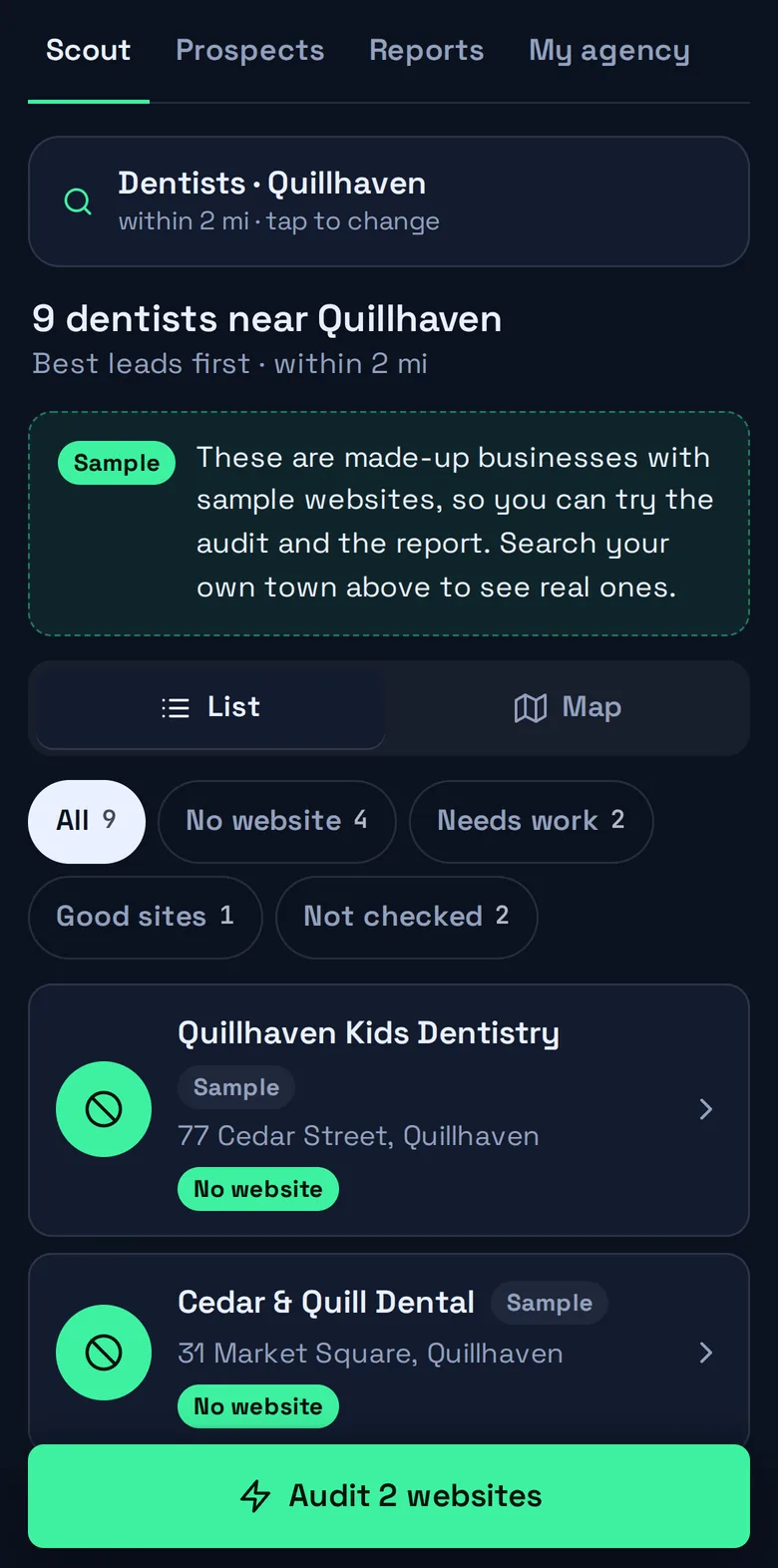
Search any town
Start with a place and a kind of business. That is the whole form.
- Town look-up as you type
- Start typing and pick the town from the suggestions. The search is centered on it.
- 24 business types
- Restaurants, dentists, auto repair, hair and beauty, contractors, plumbers, lawyers, vets, real estate and more, in plain words.
- A radius you choose
- From 1 to 25 miles around the center of town.
- Listings from OpenStreetMap
- Name, address, phone and website for every business the map knows about, or “No website listed” when it has none.
02
See the opportunities first
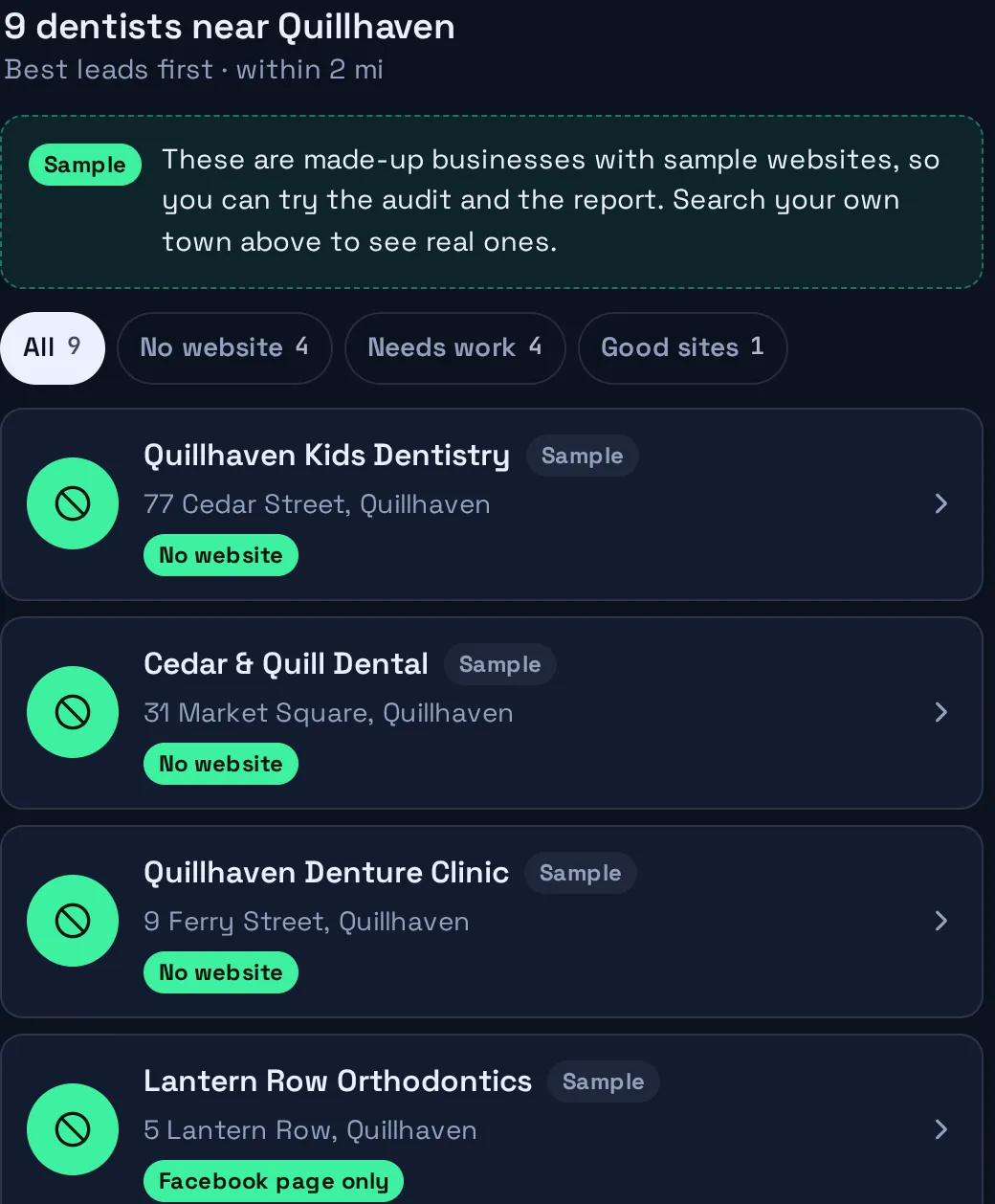
The list sorts itself by how much you could help.
- Best leads on top
- No website, then a social page standing in for one, then sites that are down, then the lowest scores.
- Filters in one tap
- All, No website, Needs work, Good sites, Not checked. Hide chains when national brands crowd the list.
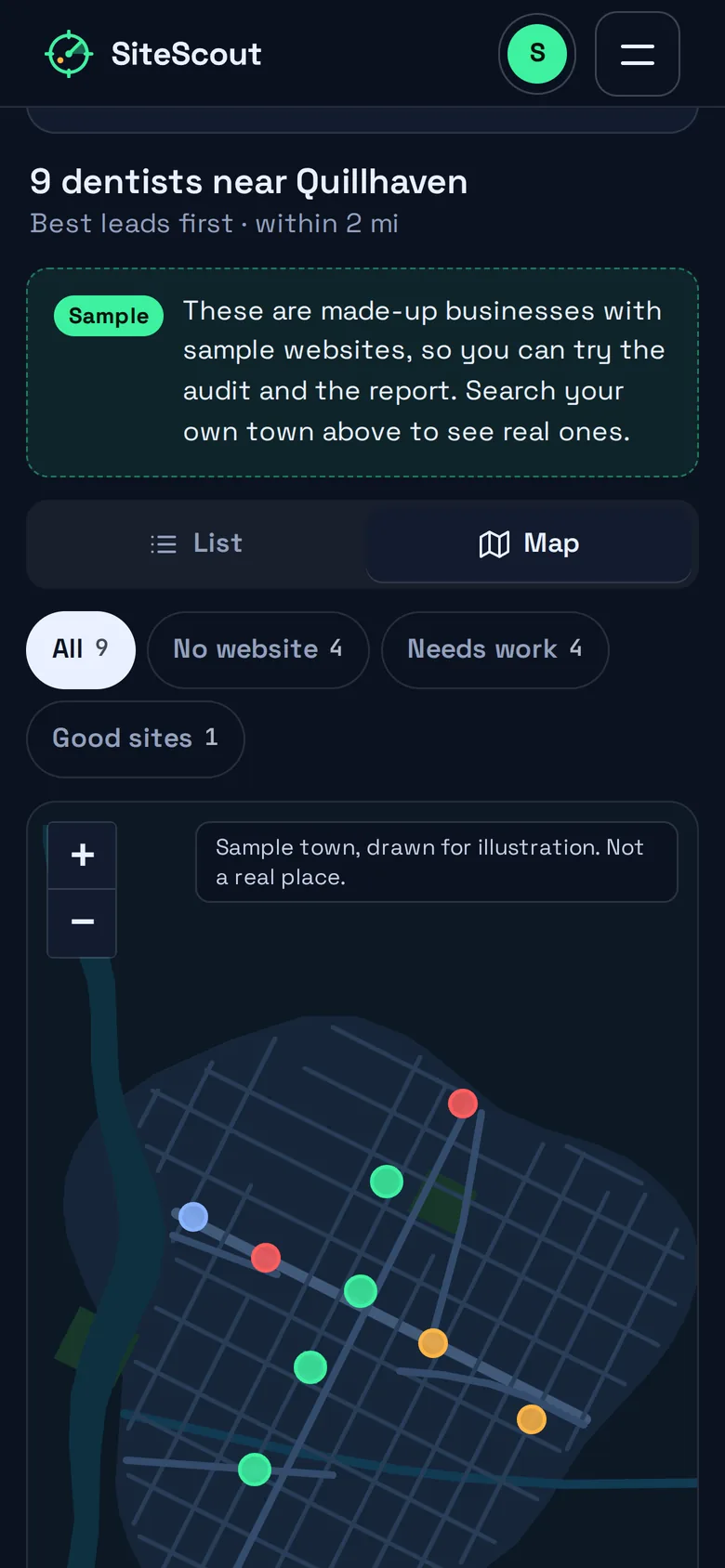
- A map that matches
- One dot per business, colored by the same legend as the list. On a phone, switch between List and Map.
- Audit one address by hand
- Already have a site in mind? Paste its address and audit just that one.
03
Audit one site or the whole list
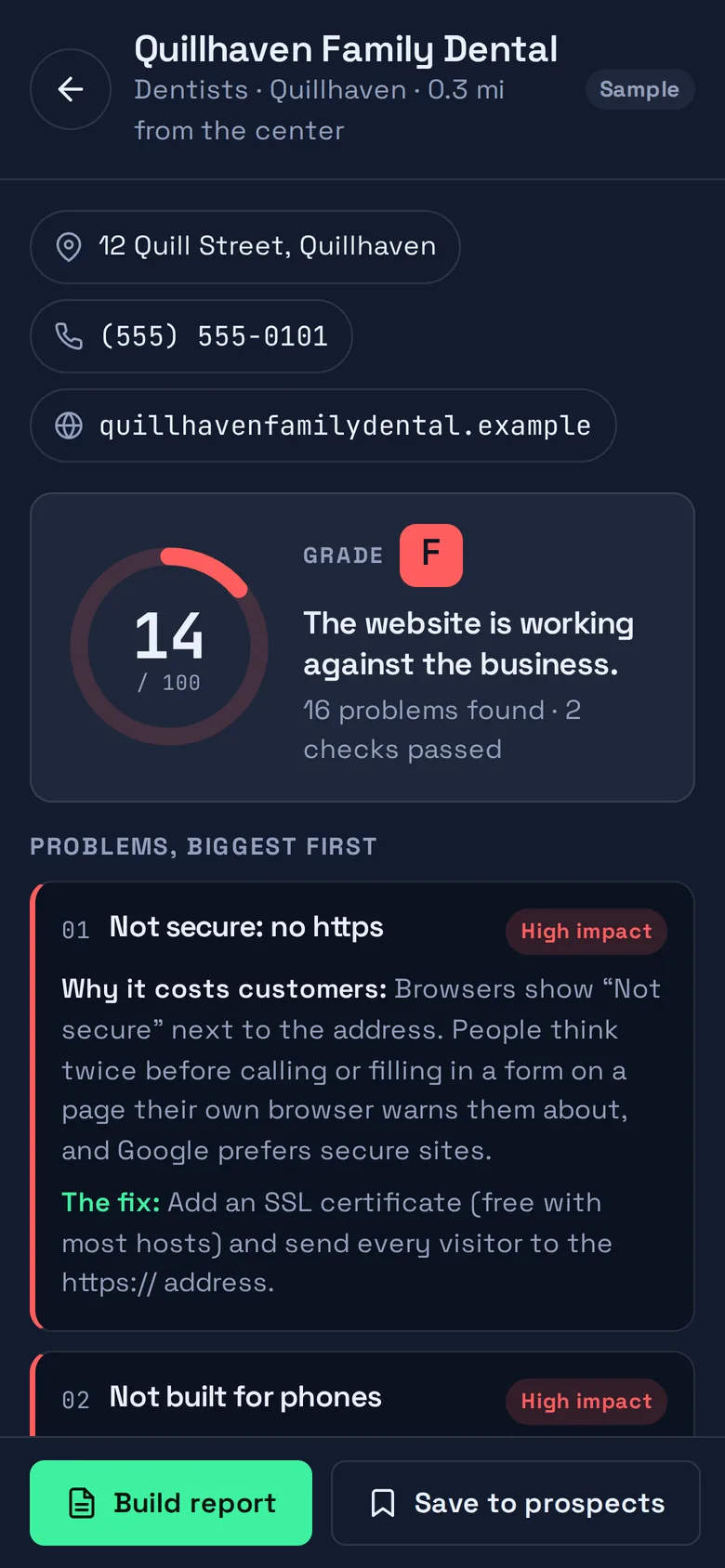
Nineteen checks on the homepage, scored out of 100, explained without jargon.
- A score, a grade, a verdict
- From “A strong website. Very little to fix.” to “The website is working against the business.”
- Problems ranked by cost
- Each one says why it costs the business customers and what the fix is, marked high, medium or low impact.
- The facts underneath
- Address checked, response time, page size, platform, redirects, scripts, images and tracking.
- A queue you can watch
- “Audit N websites” works through the list with a percentage, the time left and a Stop button.
- No website is a finding too
- Businesses with nothing online get their own “Top opportunity” card and can go straight into a report.

04
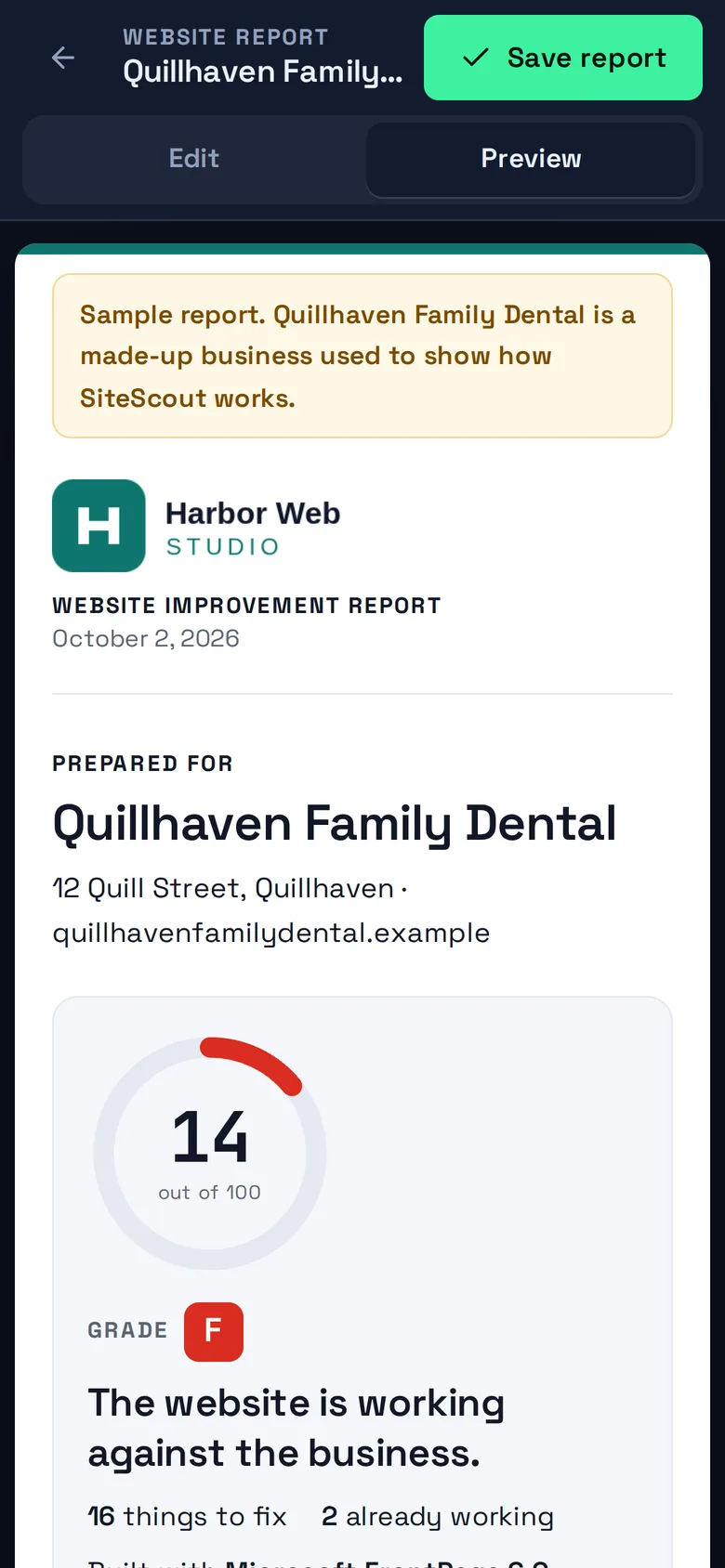
Build the report
A document a business owner can read in two minutes and act on.
- Your name on it
- Fill in “My agency” once: name, logo, phone, email, website and a color. Every report carries it.
- You decide what goes in
- Untick any problem you would rather leave out and the summary rewrites itself. Edit every line.
- Share link and PDF
- Save the report to get a private link, or use Print or save as PDF for a clean paper copy.
- An outreach email, drafted
- Subject and message are written from the findings. Copy it or open it in your email app. SiteScout never sends email for you.
- Replies come back to you
- The report page has a short “Want to talk it through?” form. A reply is emailed to you and you can see how many times the report was opened.

05
Keep track of who you contacted
A pipeline that is exactly as big as it needs to be. Included in Solo and Agency.
- Five columns
- New, Contacted, Replied, Won, Not a fit. Drag a card or use its menu.
- Notes on every card
- What you said, what they said, when to call back.
- Replied moves itself
- When an owner answers from a report page, the matching prospect moves to Replied.
- CSV export
- Take the whole pipeline to your own spreadsheet or CRM whenever you like.

While it works
You always know how far along it is.
Auditing a whole list takes a little while, because SiteScout checks only two sites at a time to stay polite. So the queue tells you the percentage done, the time left and how many are finished, and Stop does what it says.

Someone in your town needs a better website. Find out who.
Open the app and the sample town is waiting. Search your own in under a minute.