
ReviewLoop

Your best customers already love you. Make it easy for them to say so.

ReviewLoop gives your business one review link, a QR card to print, and review requests you can follow from sent to clicked. When reviews come in, it drafts your replies.

Try it free See how it works

No sign-up needed to try it. An example bakery is already set up for you to click through.

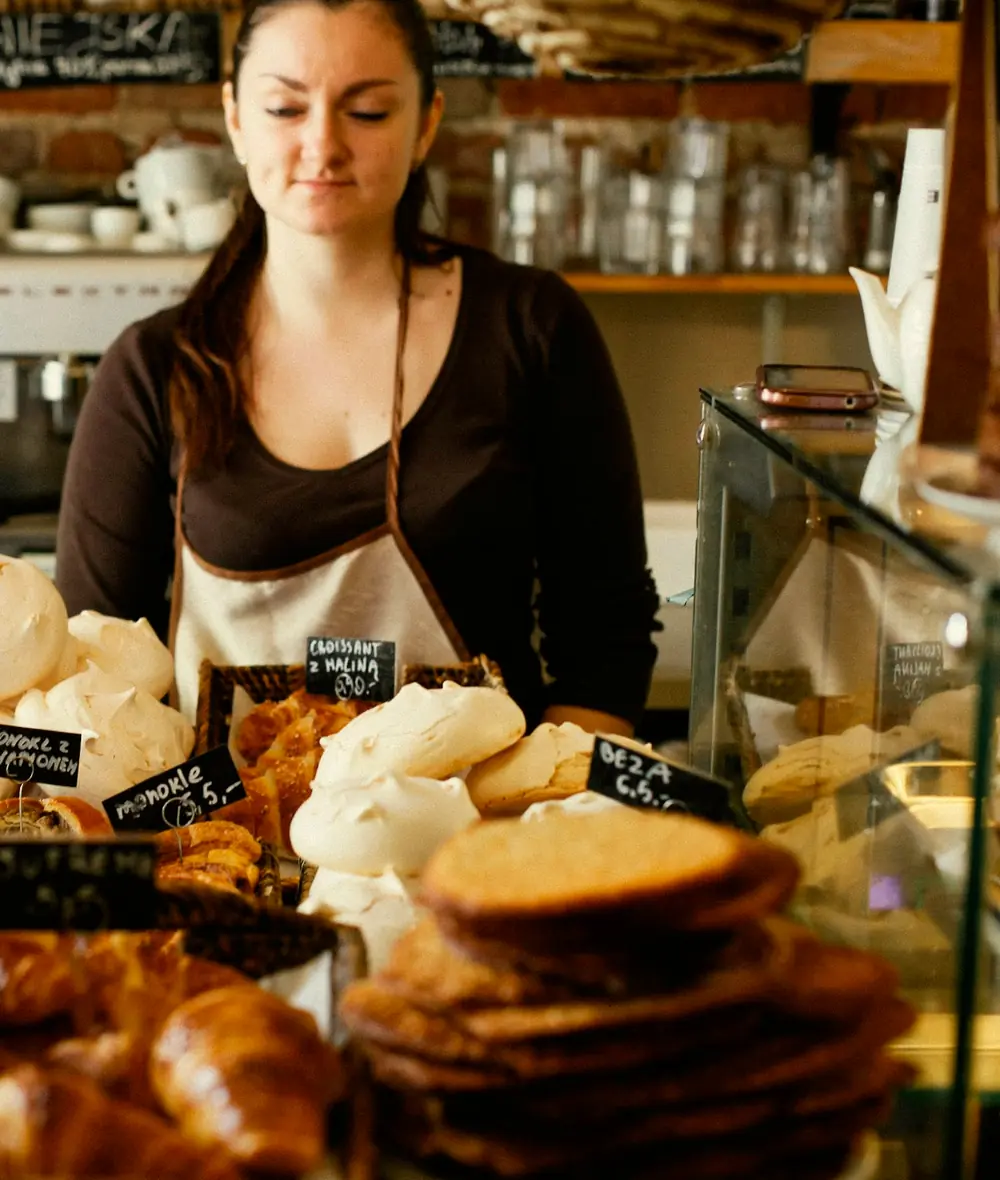
A baker behind her counter, with baskets of croissants, meringues and cookies in front of her
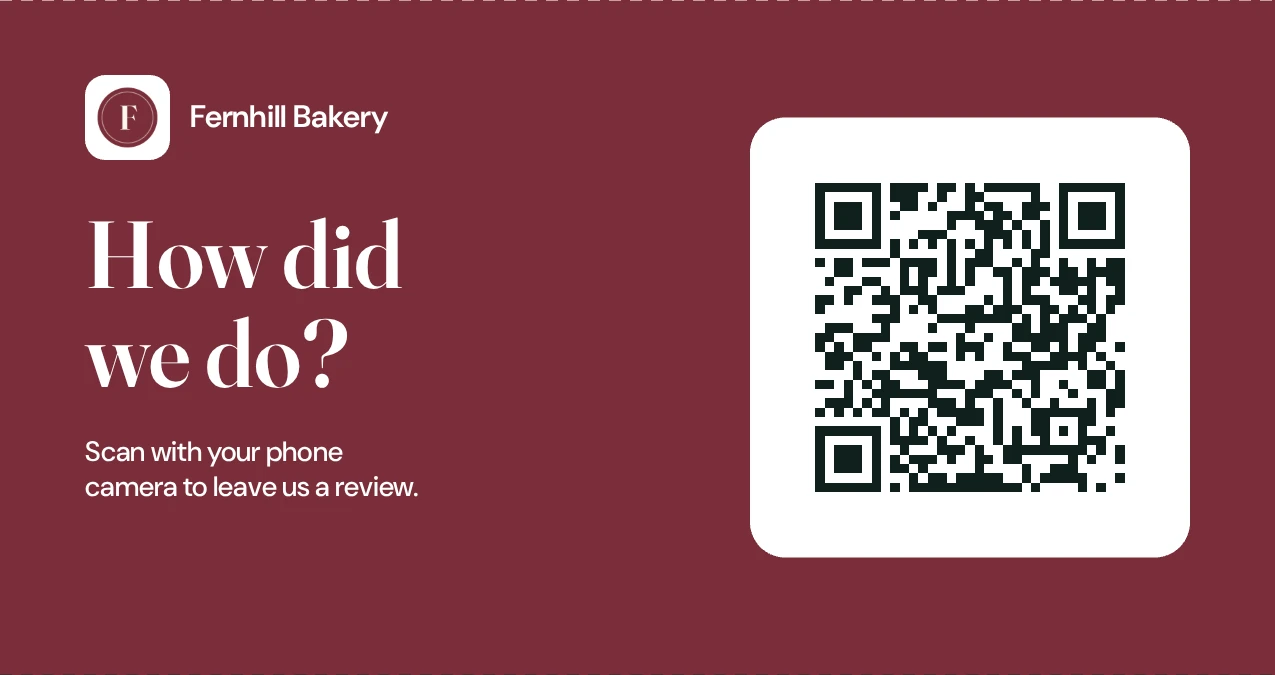
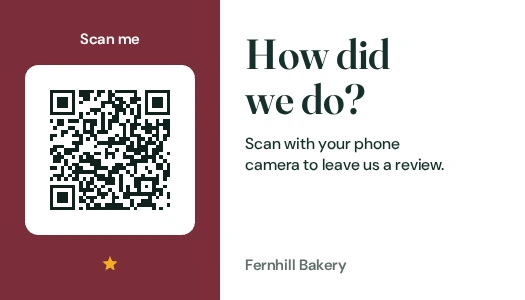
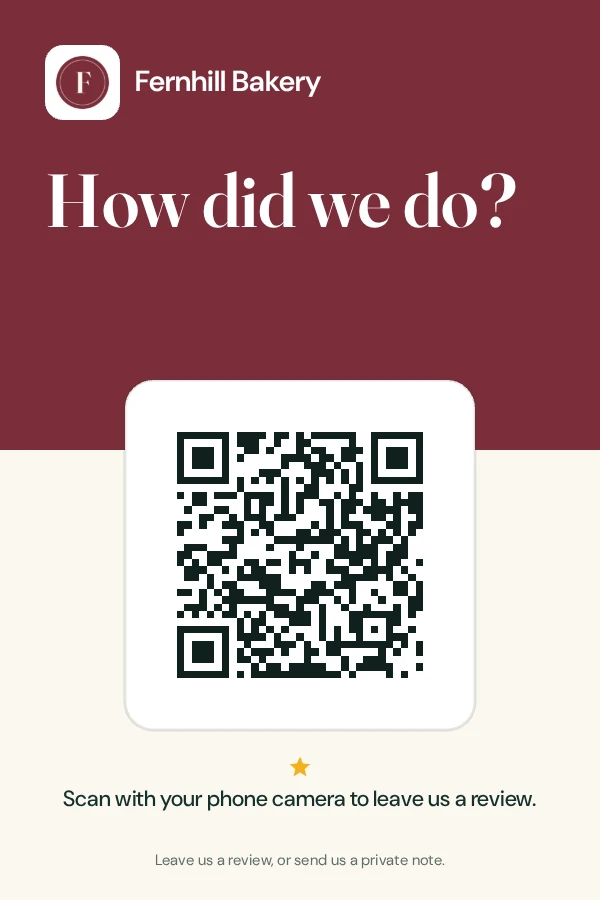
A printed counter card for an example bakery: How did we do? above a QR code, with the line Scan with your phone camera to leave us a review

The counter card as ReviewLoop prints it. Fernhill Bakery is an example business.

Follow the loop
A hand-lettered We’re open sign lit by small bulbs in a shop window full of plants

A happy customer walks out the door meaning to say something nice. Then the day gets busy. ReviewLoop puts the ask where they will see it: one link, the same for everyone, on a card by the register or in a short email with your name on it.

  • One review page with a button for each review site you use.
  • A QR code on four print-ready designs, in your color.
  • Requests you can follow from sent, to opened, to clicked.
  • Three suggested replies to every review you paste in.

Four steps, one loop.

Ask, scan, review, reply. Everything below is the real tool, set up for an example bakery.

1 of 4

Ask

Send the ask in your own words.

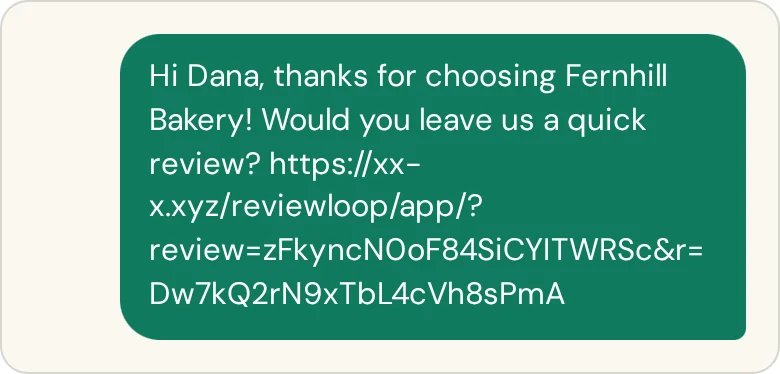
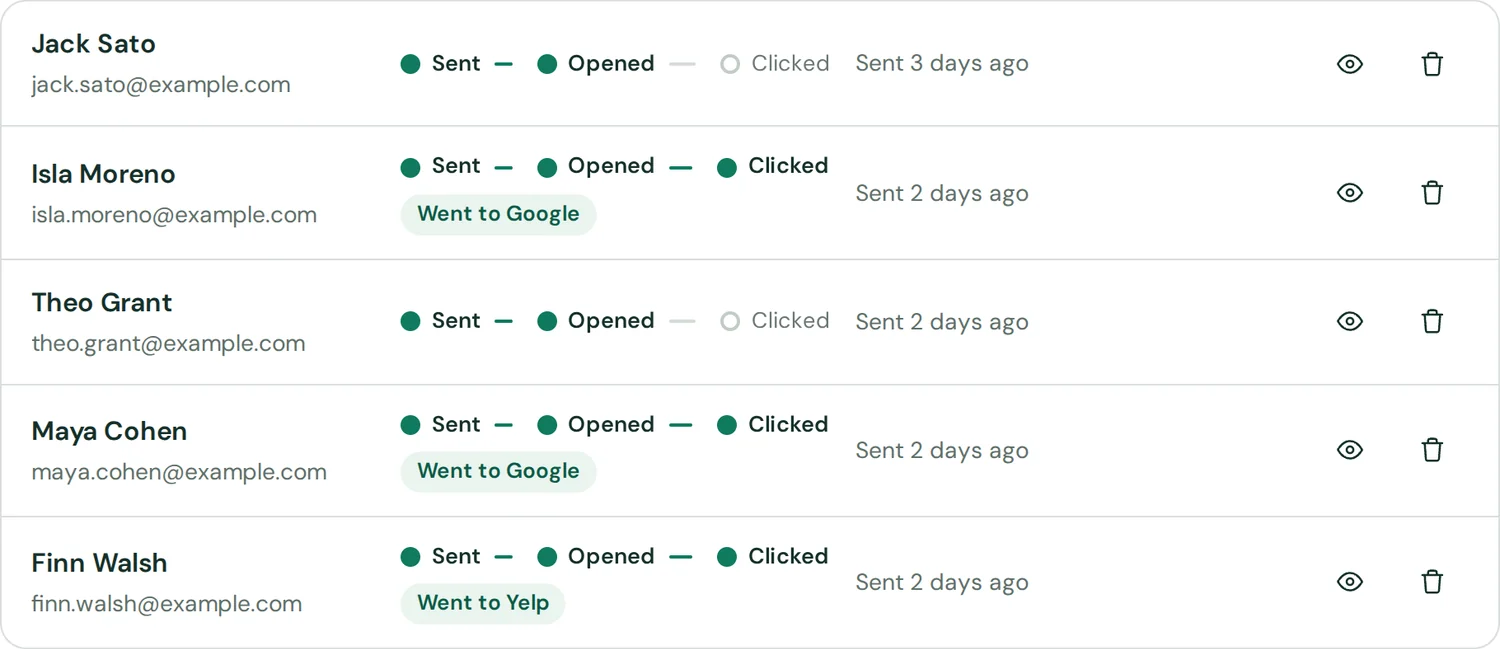
Add customers one at a time or paste a whole list. Each one gets a short email with your name on it and a personal link, so you can see who opened it and who went on to a review site. Prefer a text? ReviewLoop writes it and you send it from your own phone.

The email and text exactly as the tool writes them, for an example business.
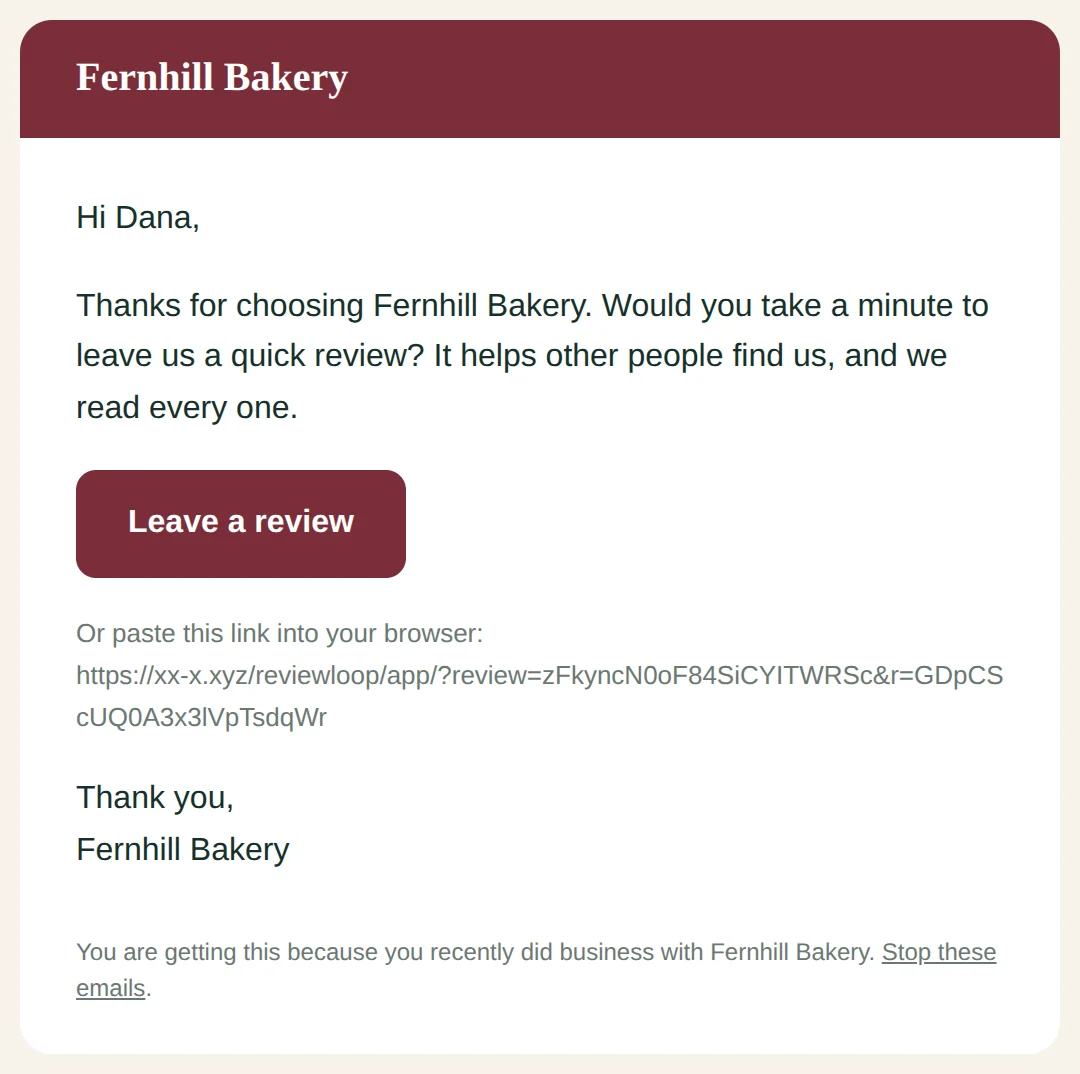
The review request email: Hi Dana, thanks for choosing Fernhill Bakery. Would you take a minute to leave us a quick review? with a Leave a review button and a link to stop these emails
The ready text message with the customer’s first name and personal link
Five customers in the request list, each showing Sent, Opened and Clicked, and whether they went to Google or Yelp

2 of 4

Scan

Put the link where people are standing.

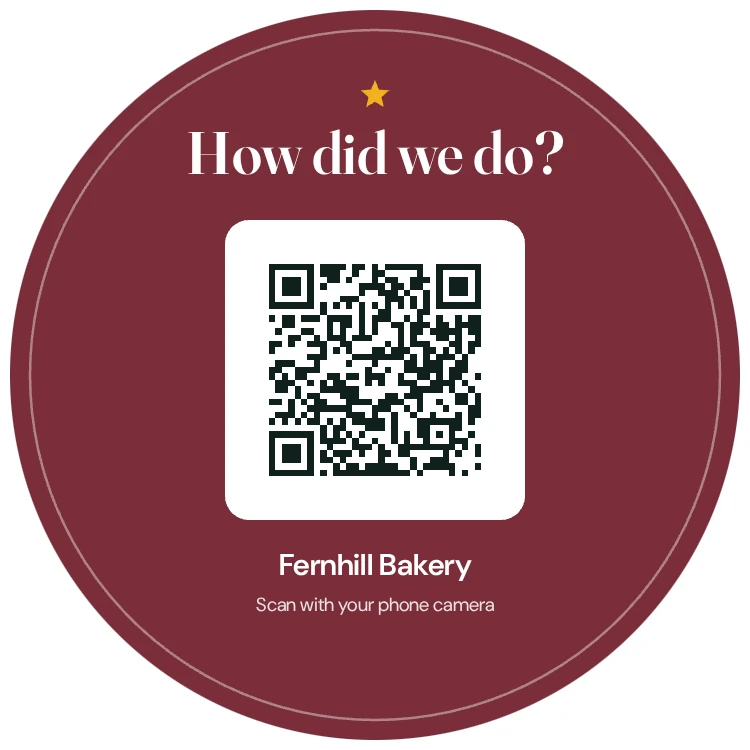
Your QR code comes on four print-ready designs in your color with your logo: a counter card, a table tent, a receipt insert and a window decal. Download, print, set it by the register.

The four designs as the tool renders them at 300 dpi. See them flat

The round window decal with the QR code, stuck to a pane of glass
The 4 by 6 inch counter card standing on the counter
The folded table tent with its QR code
The business-card sized receipt insert

3 of 4

Review

One page with every review site you use.

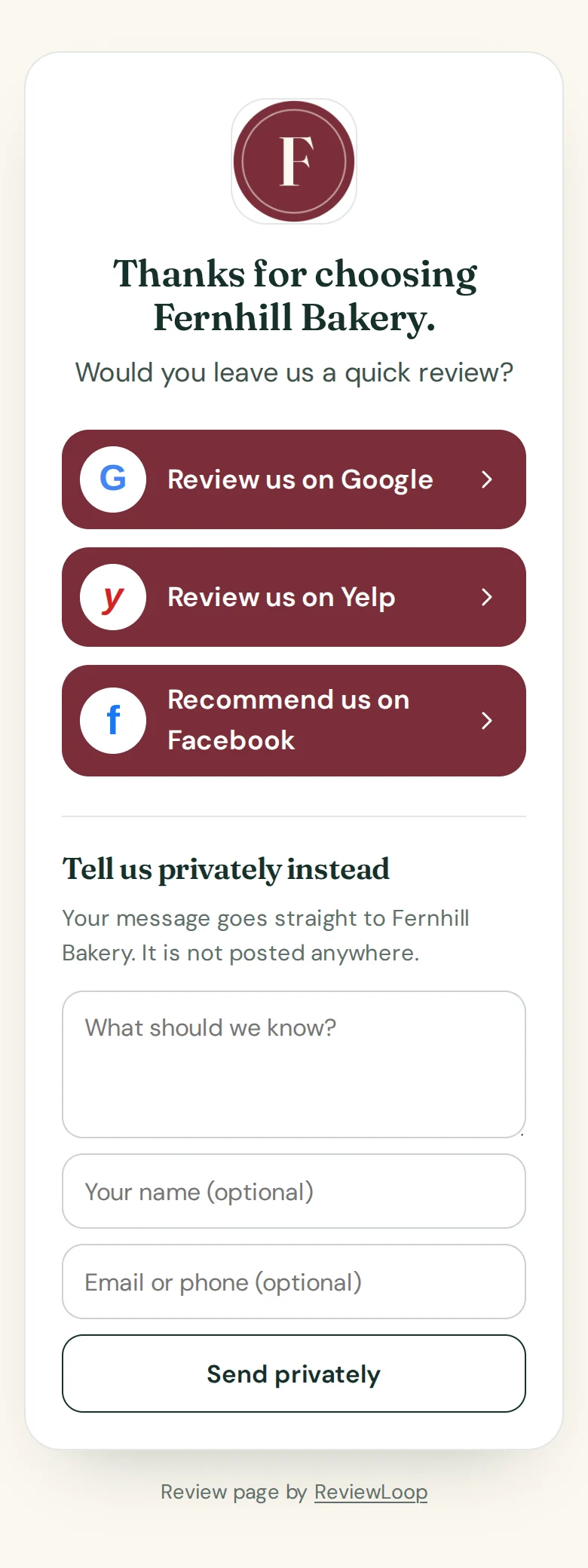
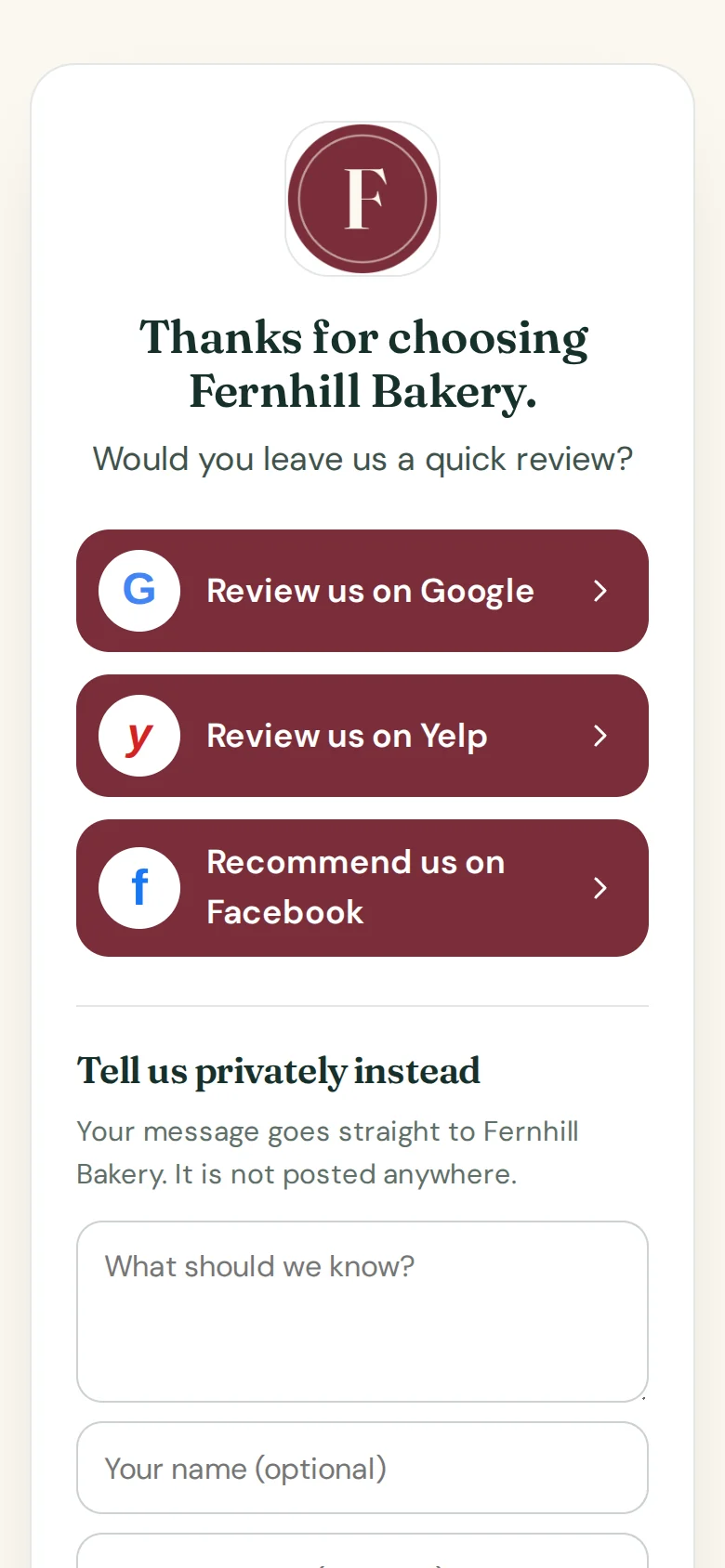
Customers land on a simple page with a big button for Google, Yelp and Facebook, and a private message box for anything they would rather tell you directly. No rating question, no detours.

The customer’s review page on a phone.

The review page on a phone: Thanks for choosing Fernhill Bakery. Would you leave us a quick review? Buttons for Google, Yelp and Facebook, then Tell us privately instead with a message box
  • Every review site you addedThe same buttons for every customer.
  • A private box, for everyoneStored in your inbox and emailed to you.

4 of 4

Reply

Answer every review, even the hard ones.

Paste a review and get three replies to choose from: warm, brief and professional. Replies to unhappy customers stay calm, never argue, and invite them to talk to you directly.

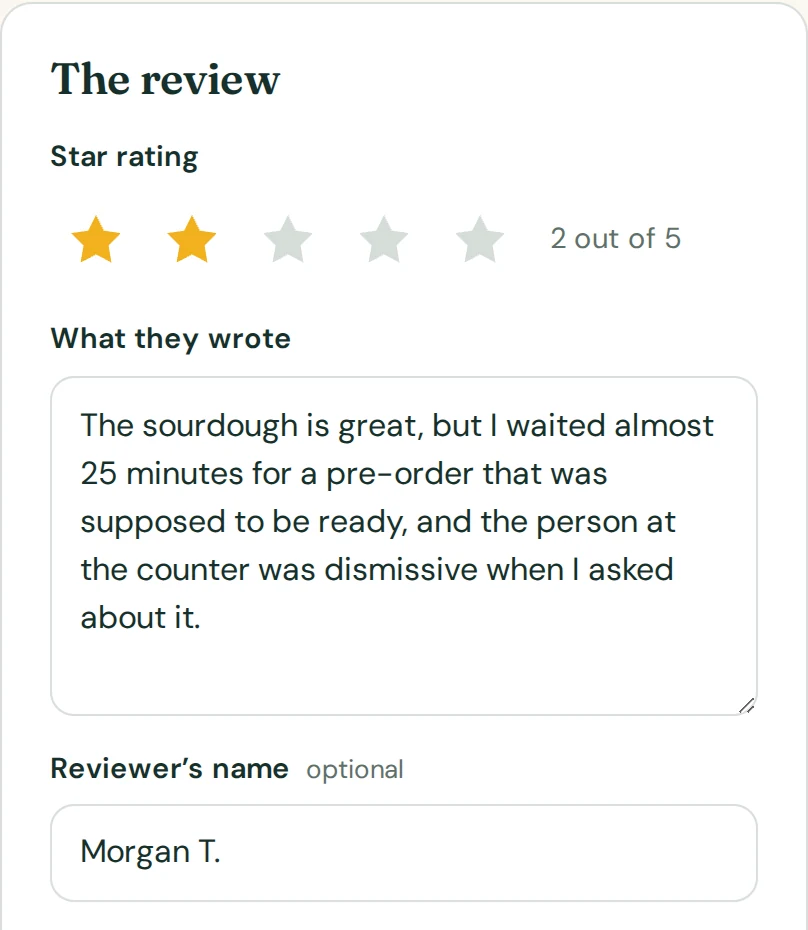
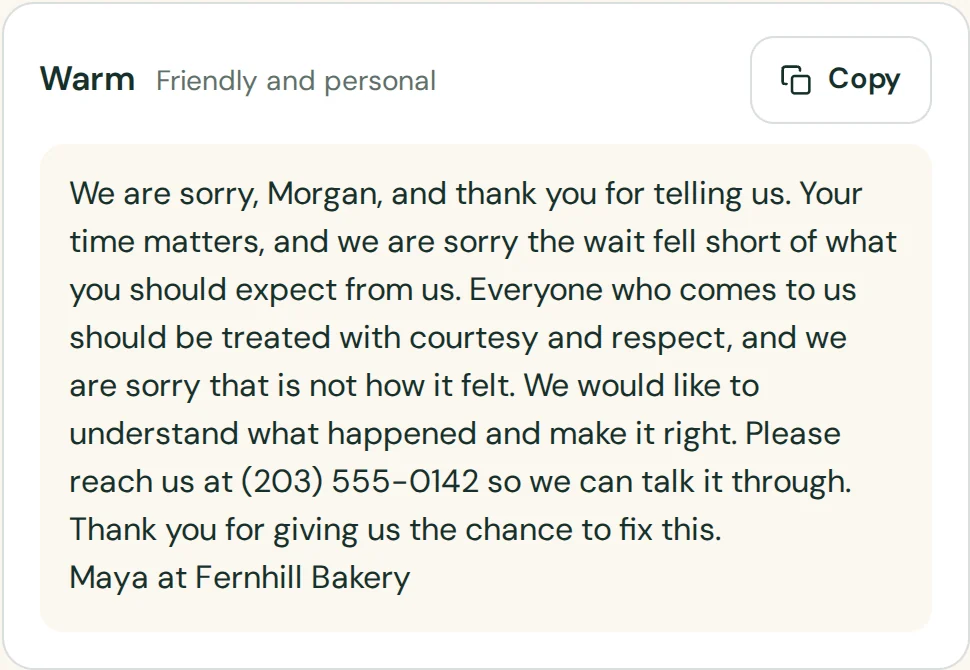
Three suggested replies to an example two-star review. Try the engine

An example two-star review pasted into the reply assistant: the sourdough is great, but I waited almost 25 minutes for a pre-order
The warm reply: We are sorry, Morgan, and thank you for telling us
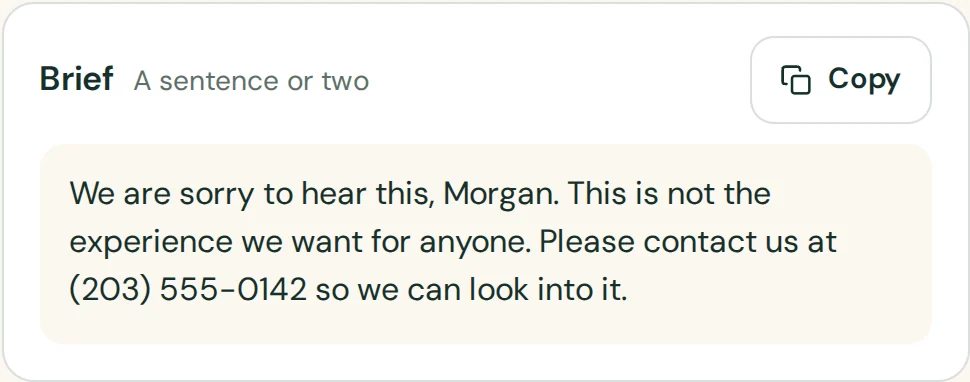
The brief reply: We are sorry to hear this, Morgan. Please contact us so we can look into it
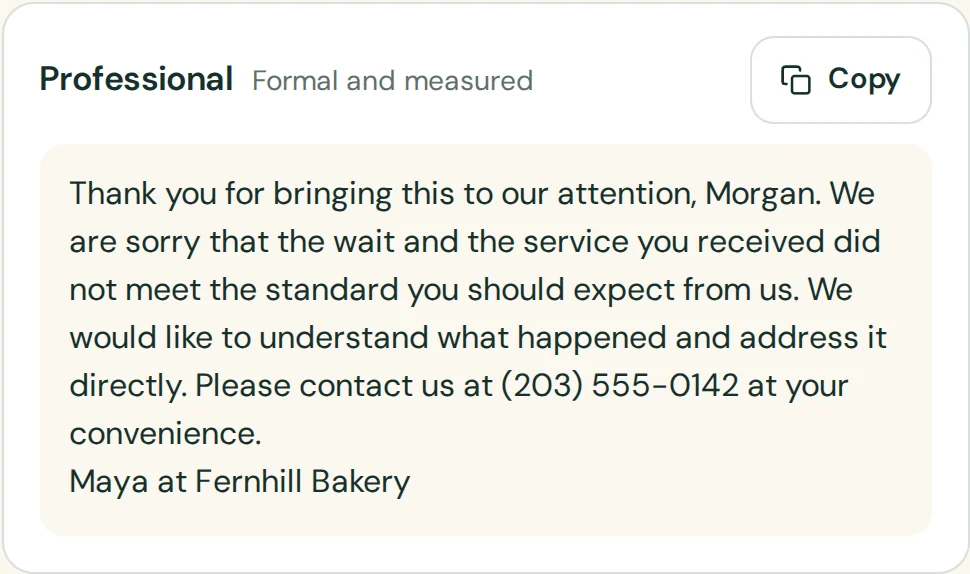
The professional reply: Thank you for bringing this to our attention, Morgan

See who opened, who clicked, and what they told you.

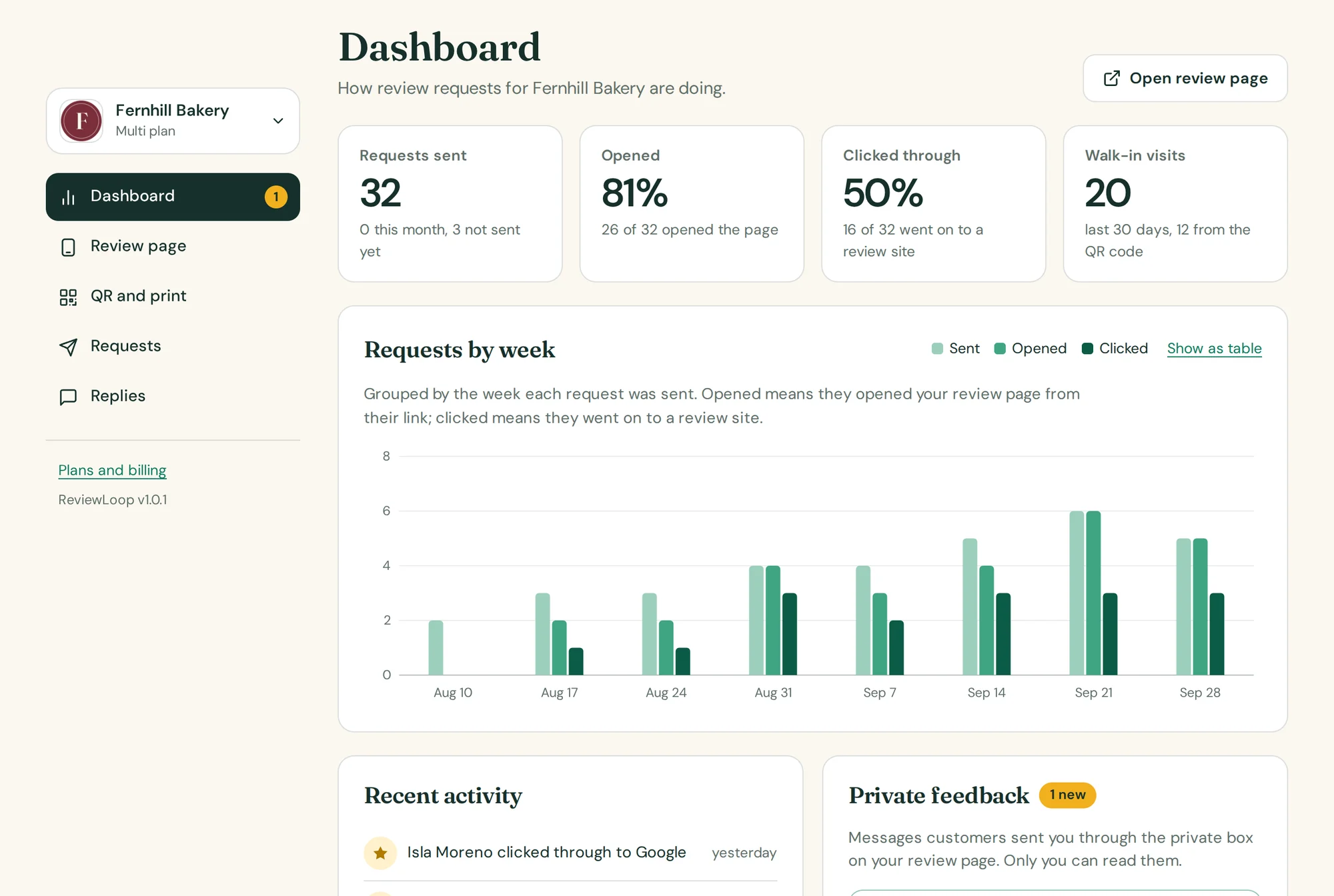
Requests sent, how many customers opened your page, how many went on to a review site. Private messages wait in an inbox only you can read.

DashboardExample data
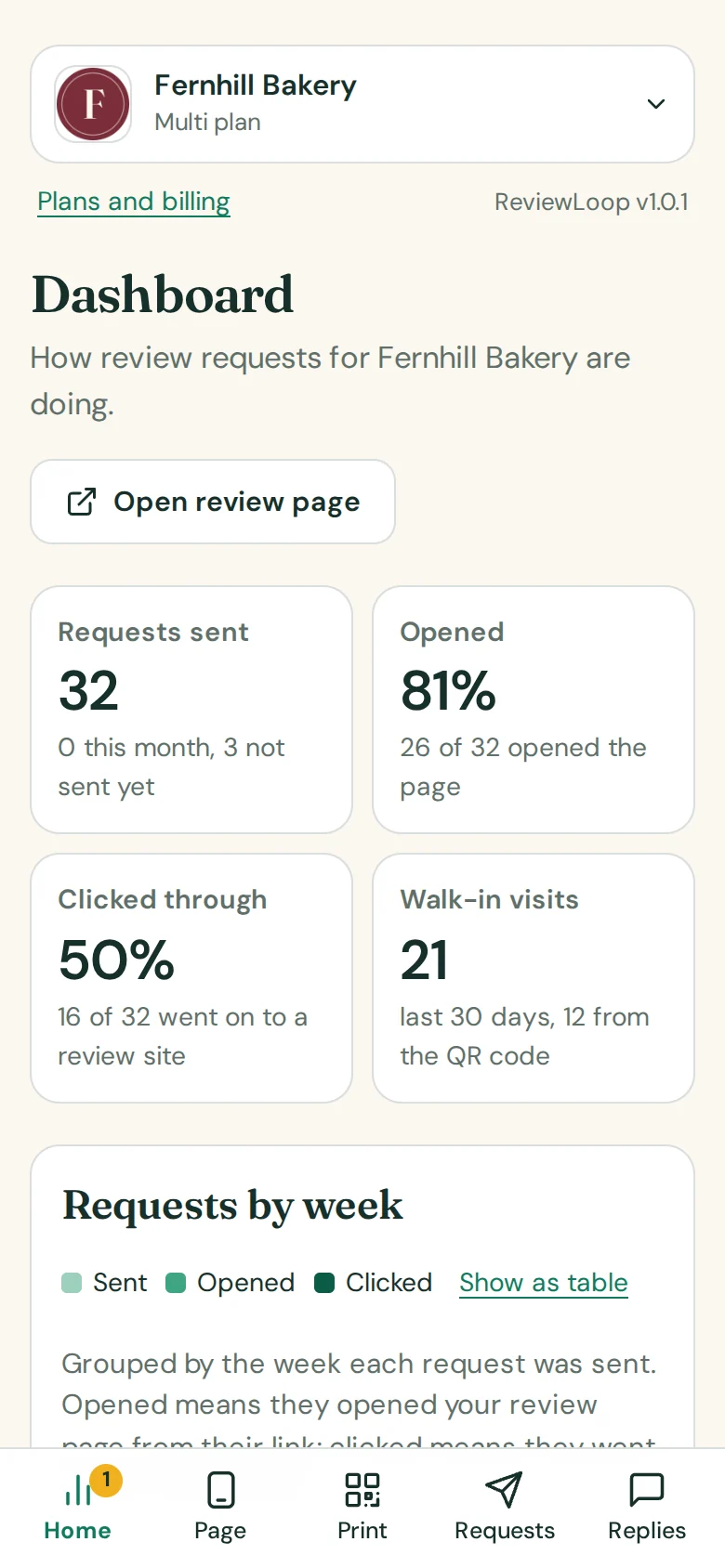
The ReviewLoop dashboard for an example bakery: 32 requests sent, 81% opened, 50% clicked through, 19 walk-in visits, and a weekly chart of sent, opened and clicked
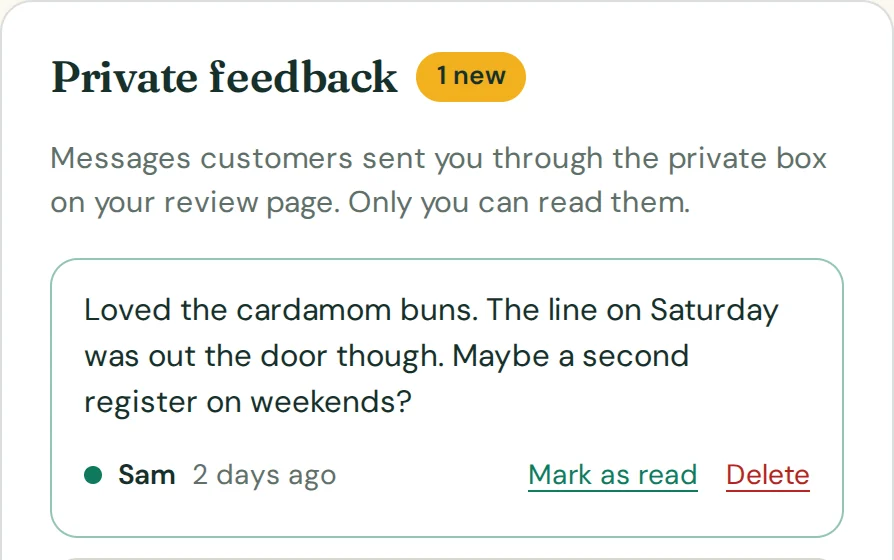
The private feedback inbox with one new message: Loved the cardamom buns. The line on Saturday was long
The same dashboard on a phone
Example data

“Opened” means the customer opened your review page from their personal link. There are no tracking pixels in the emails. Fernhill Bakery and its customers are example data.

Made for the shops people walk into.

If your customers come through a door, sit in a chair or pick something up from a counter, the ask fits into what you already do.

  • Croissants and pastries in a bakery window at dusk, with warm lamps glowing inside

    Bakeries and cafés

    A counter card by the register does the asking while you bag the order.

  • A barber trimming a client’s hair with scissors and a comb

    Barbers and salons

    A table tent at the mirror, and a text with their personal link after the appointment.

  • A florist in an apron working at her counter, seen through leaves and flowers

    Florists and gift shops

    A receipt insert tucked in with every bouquet that leaves the shop.

  • A mechanic’s hands tightening a bolt in an engine bay with a wrench

    Garages and repair shops

    An email once the car is picked up. You see who opened it and who clicked.

  • A barista in an apron pouring steamed milk into a cup

    Anywhere with regulars

    A decal on the door for the people who already come back every week.

Start free. Upgrade when the shop gets busy.

The Free plan covers your review page, your QR code and a counter card. Paid plans add the rest of the prints, reminders and the reply assistant.

Compare the plans

ReviewLoop price list

Free$0

1 location, 25 review requests a month, Review page and QR code

Pro$29/mo

1 location, 500 review requests a month, All four printables

Multi$59/mo

Up to 5 locations, 2,000 review requests a month, All four printables

No card needed for Free. Paid plans are month to month.

Fair questions.

The ones owners ask before they print anything.

All the questions

Do I need an account to try it?

No. Open the tool and it loads an example business so you can click through every screen. You are asked for an account at the moment you save your own review page.

Does ReviewLoop filter customers by star rating?

No. Every customer sees the same page: all of your review sites, plus a private message box. ReviewLoop never asks for a star rating first and never hides review sites from unhappy customers. That practice is called review gating. Google’s review policy prohibits it and FTC guidance tells businesses not to do it, which is why asking everyone the same way is the safe way to ask.

Which review sites can I link to?

Google, Yelp and Facebook. Google is the one you need; Yelp and Facebook are optional. For Google you can paste your review link or your Place ID and ReviewLoop builds the link for you.

Where do I find my Google review link?

In your Google Business Profile choose “Ask for reviews” and copy the link. If you only have a Place ID, paste that instead; the setup screen shows the link customers will be sent to so you can check it.

Should I add my Yelp link?

That is your call. Yelp asks businesses not to request reviews and says its software may not recommend reviews that look prompted. Many businesses link only Google. The Yelp button appears on your page only if you add a Yelp link.

Ask tonight’s customers before you lock up.

Set up your review page in three short steps. You can try everything before you make an account.

Try it free See pricing