
From the first ask to the last reply.
Every screen below is the real tool, set up for an example bakery. Nothing here is a mock-up, and you can open any of it yourself without an account.
Your review page
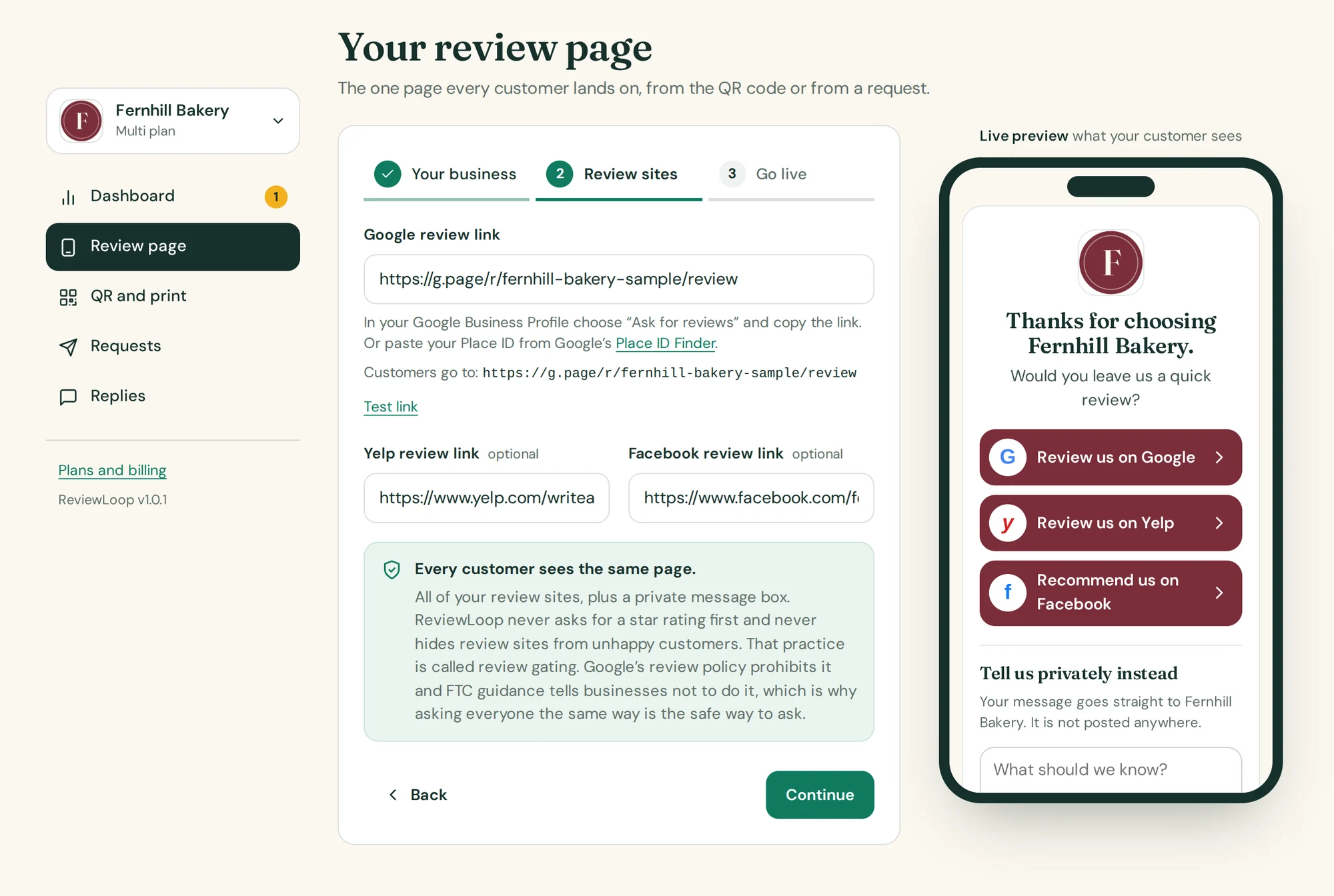
Set up the page in three short steps.
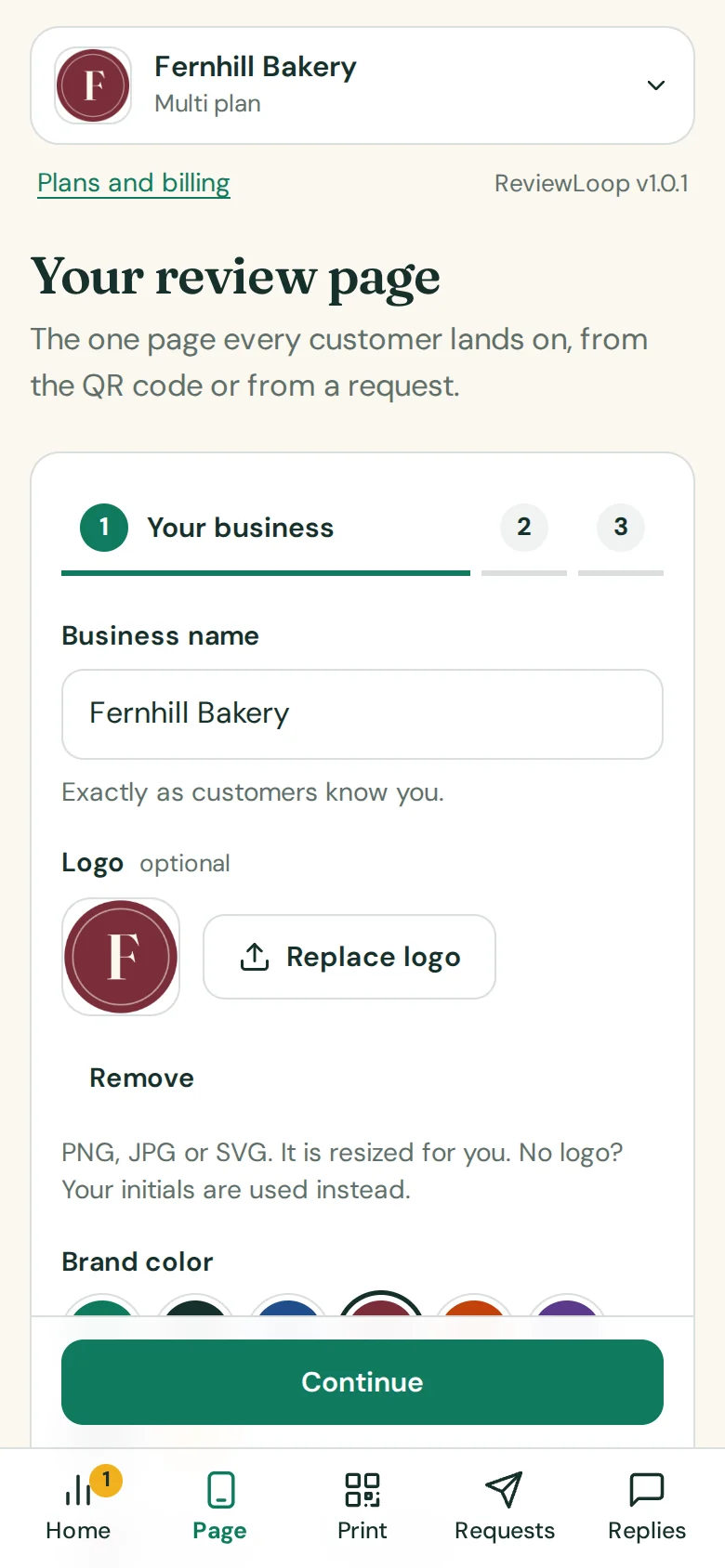
Type your business name, add your logo and pick your color. Paste your Google review link or Place ID, and Yelp or Facebook if you use them. Choose your wording and where private messages should be emailed. A phone on the right shows the page as you type.
- Paste a Google review link or a Place ID; the tool shows where customers will land
- Your logo and color on the page, the emails and the prints
- An example business is loaded the first time, so you can look around before typing anything
Example data
What customers see
A thank-you, big buttons, and a private box.
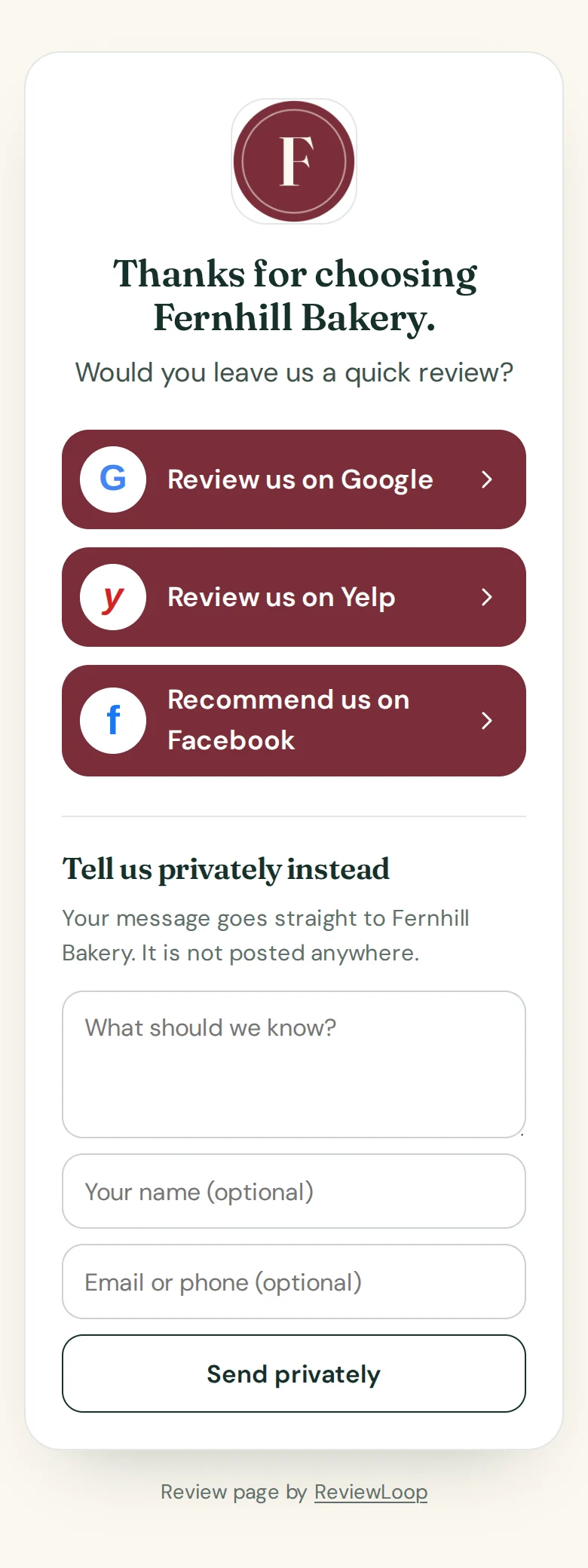
The page opens with “Thanks for choosing” and your business name, then one large button for each review site you added. Below that, every customer can send you a private message instead. There is no rating question and nothing to install.
- One tap to Google, Yelp or Facebook
- “Tell us privately instead” is offered to everyone
- No site header, no menus, nothing between your customer and the button
Example business
QR code and prints
A QR code, and four ways to print it.
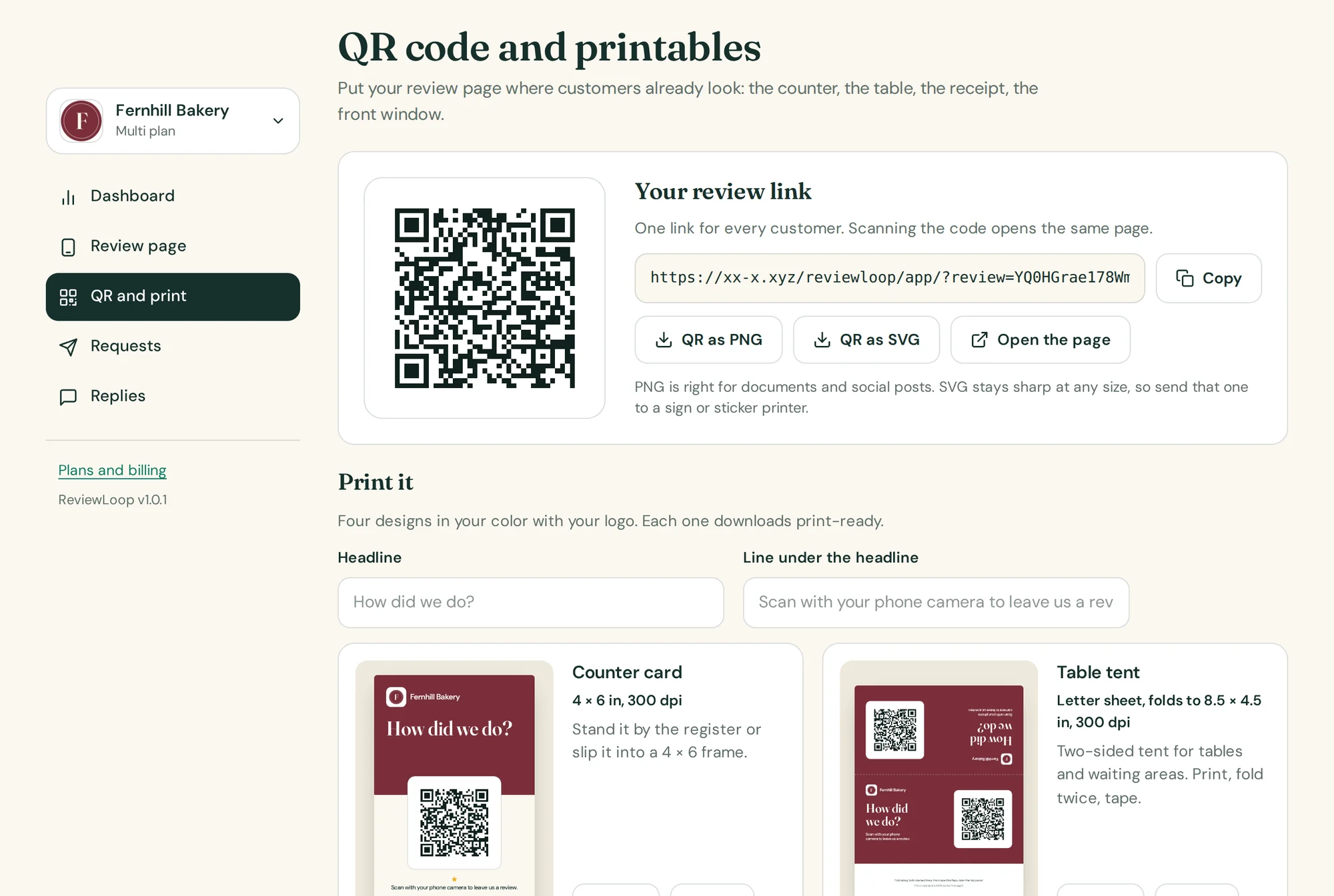
Download the QR code on its own as a PNG or an SVG, or on one of four designs made for a counter, a table, a bag and a window. Change the headline and the line under it, and download a 300 dpi PNG or a PDF.
- Counter card 4 × 6 in, table tent, receipt insert 3.5 × 2 in, window decal 5 in
- Visits that came from the QR code are counted separately
- The counter card is on Free; all four on Pro and Multi
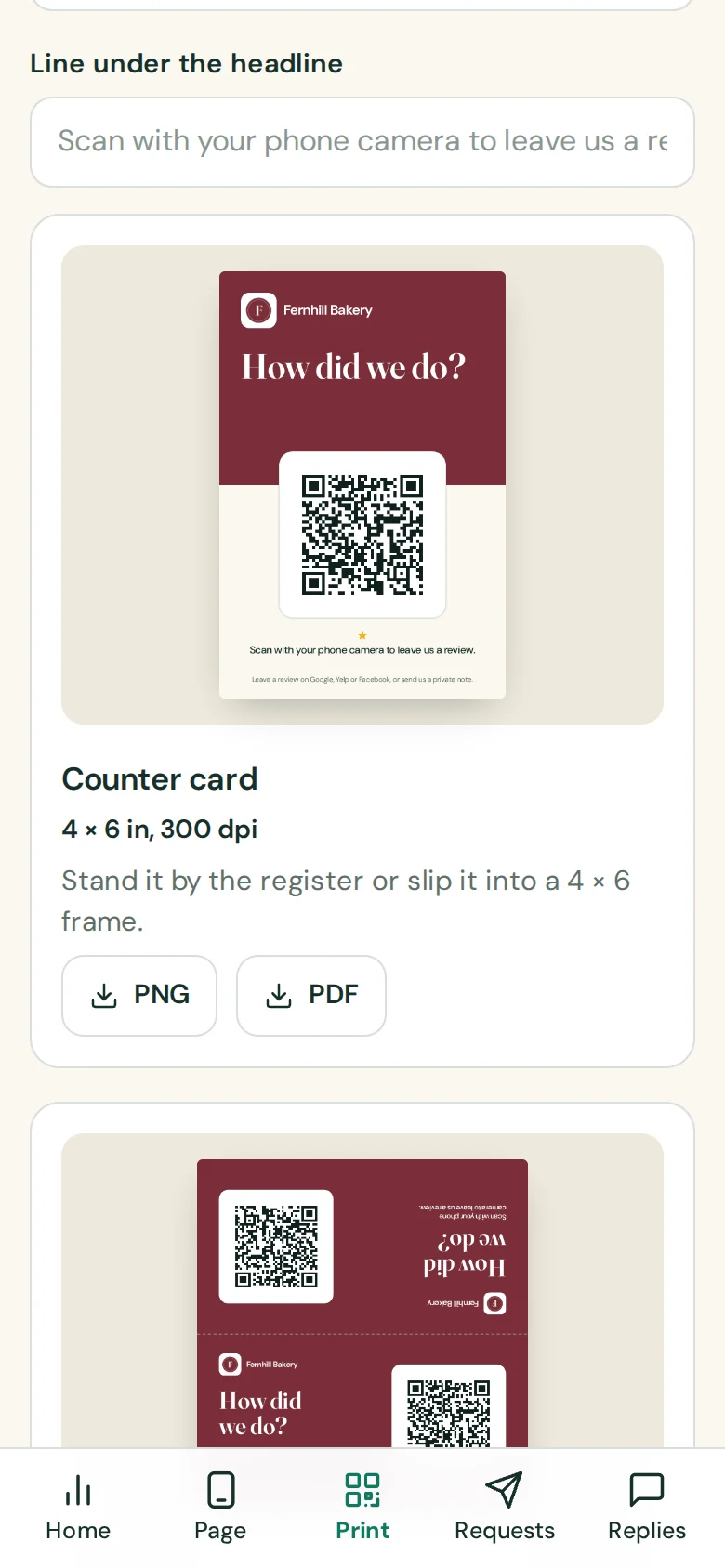
Example data
Review requests
Add customers, press send, watch what happens.
Add one customer or paste a list straight from a spreadsheet: names, emails and phone numbers in any order. Send one request or the whole list. Each customer gets a personal link, and their row shows Sent, Opened and Clicked as it happens.
- Paste a list or upload a CSV; skipped lines are explained
- Sending a list shows a percentage, a count and the time left
- A monthly meter shows how many requests you have left
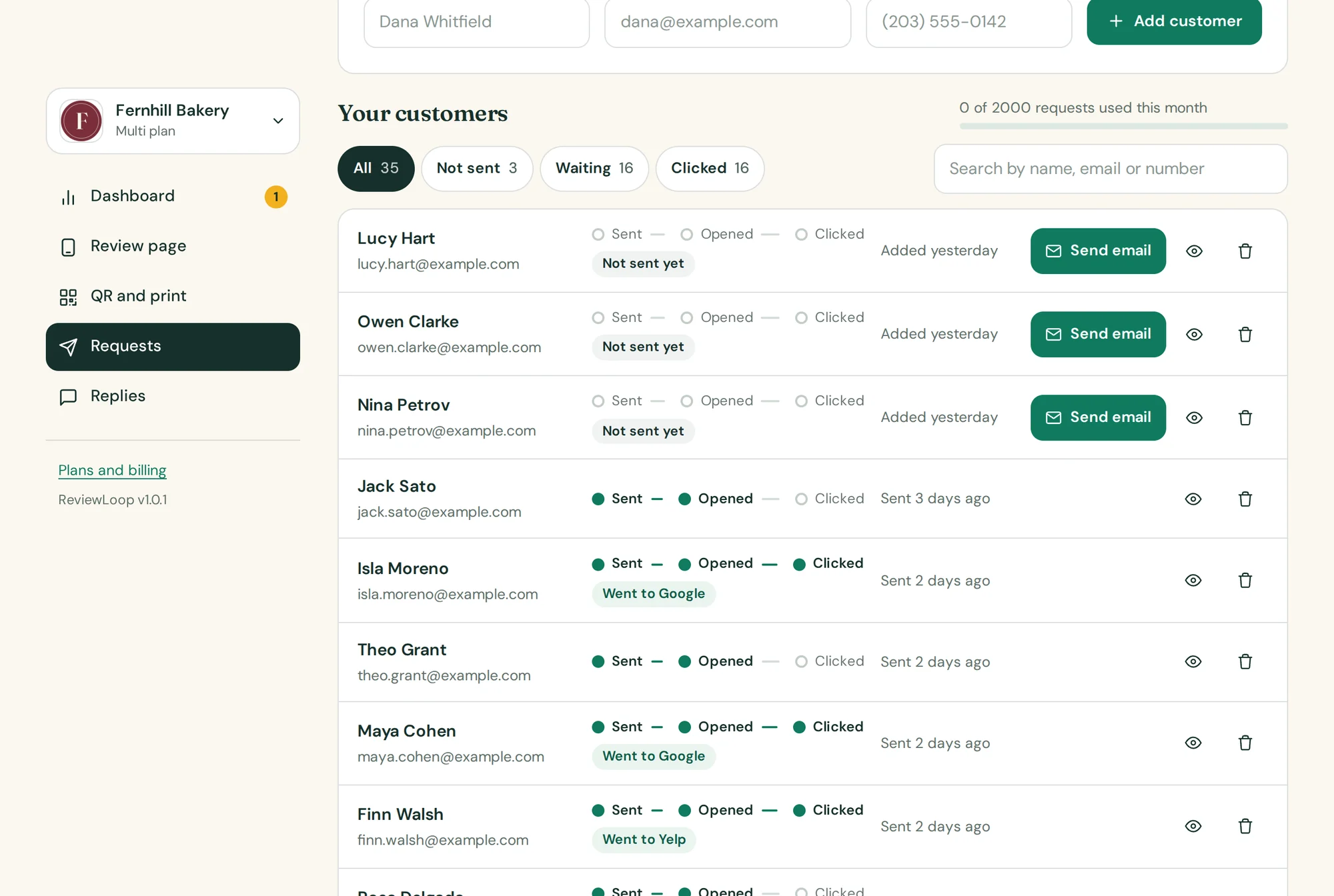
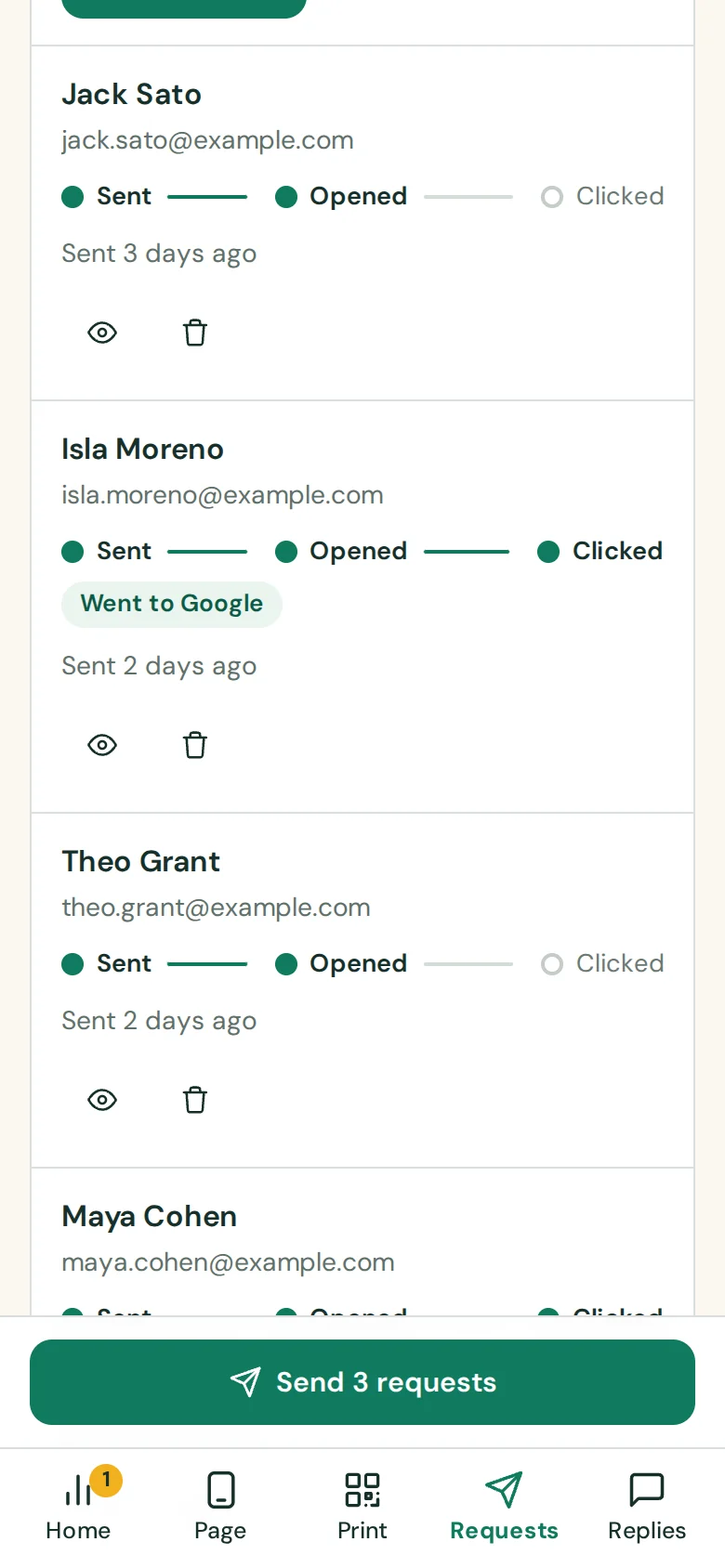
Example data
Your wording
Say it the way you would say it at the counter.
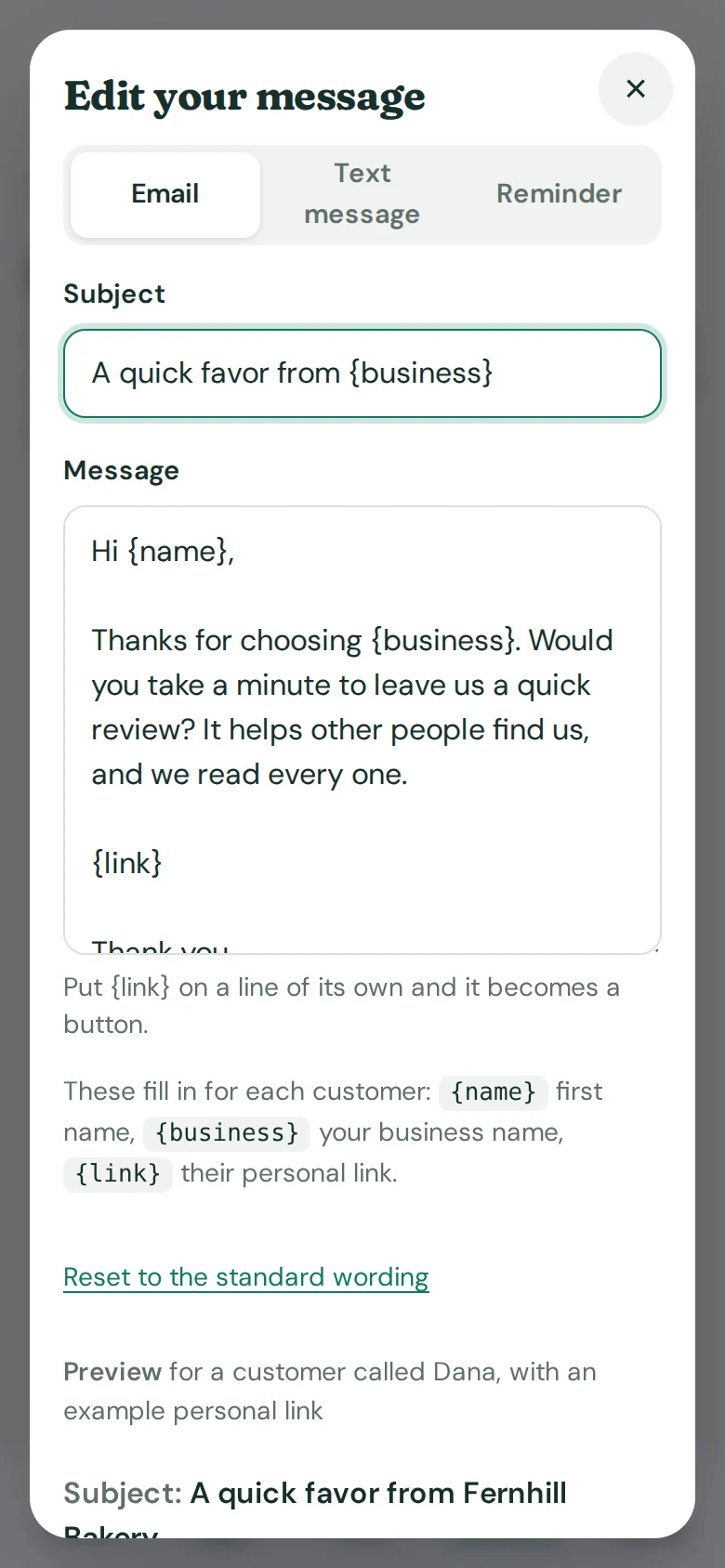
Edit the email, the text message and the reminder. Use {name}, {business} and {link} and watch the preview fill them in for a real customer. Put {link} on its own line and it becomes a button.
- Separate wording for email, text and reminder
- The preview is the email your customer receives
- One click back to the standard wording
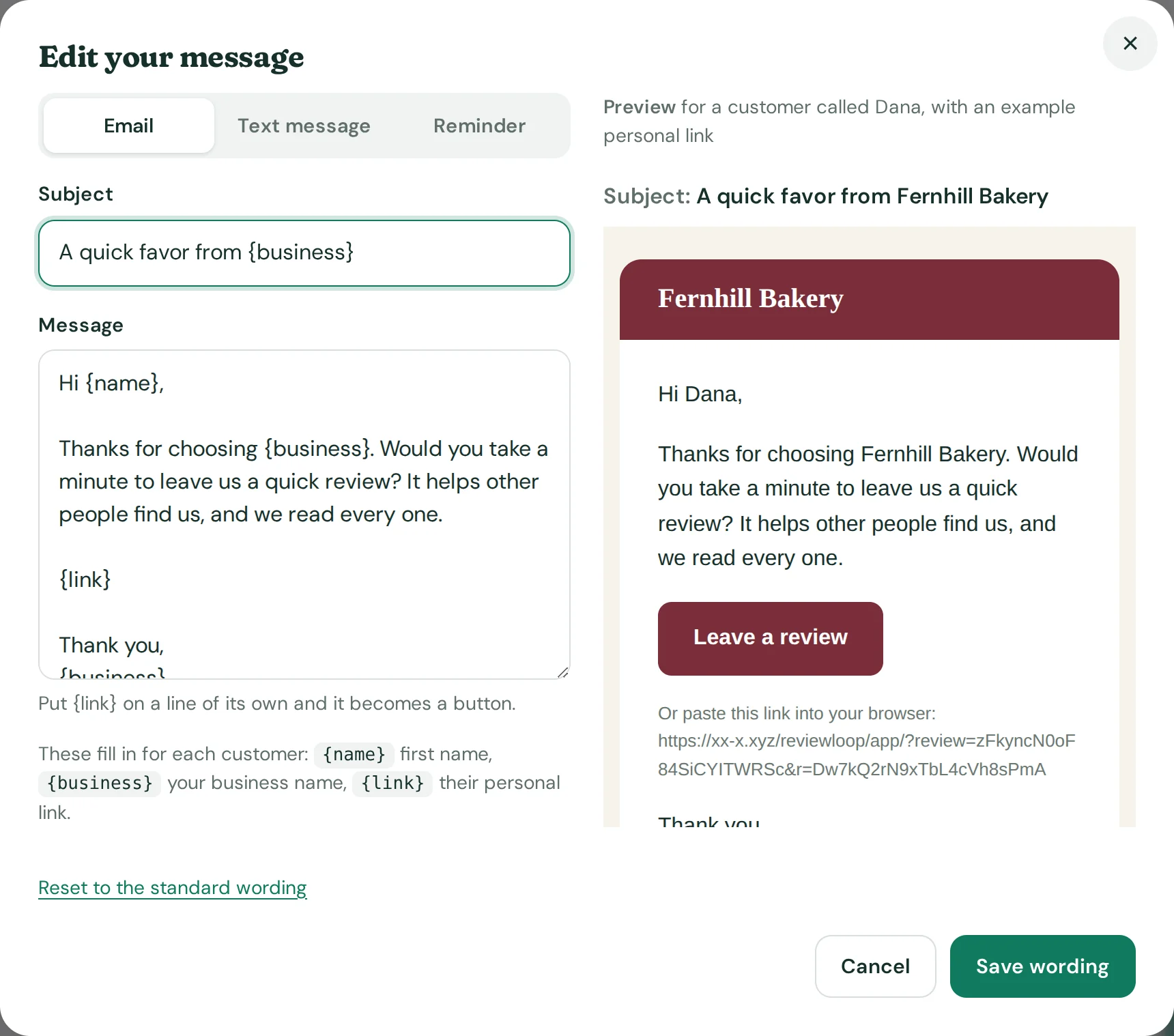
Example data
Text messages
A text from your own number.
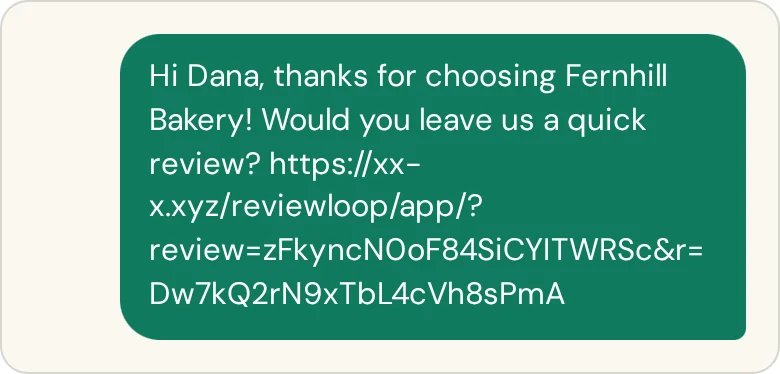
For customers with a phone number, ReviewLoop writes the message with their personal link. Tap once to open it in your phone’s messages app, or copy it. The customer sees a text from you, and their row still shows when they open the page and click.
- A ready message with the customer’s first name and personal link
- Opens in your phone’s messaging app, or copies to the clipboard
Reminders
One polite reminder, then it stops.
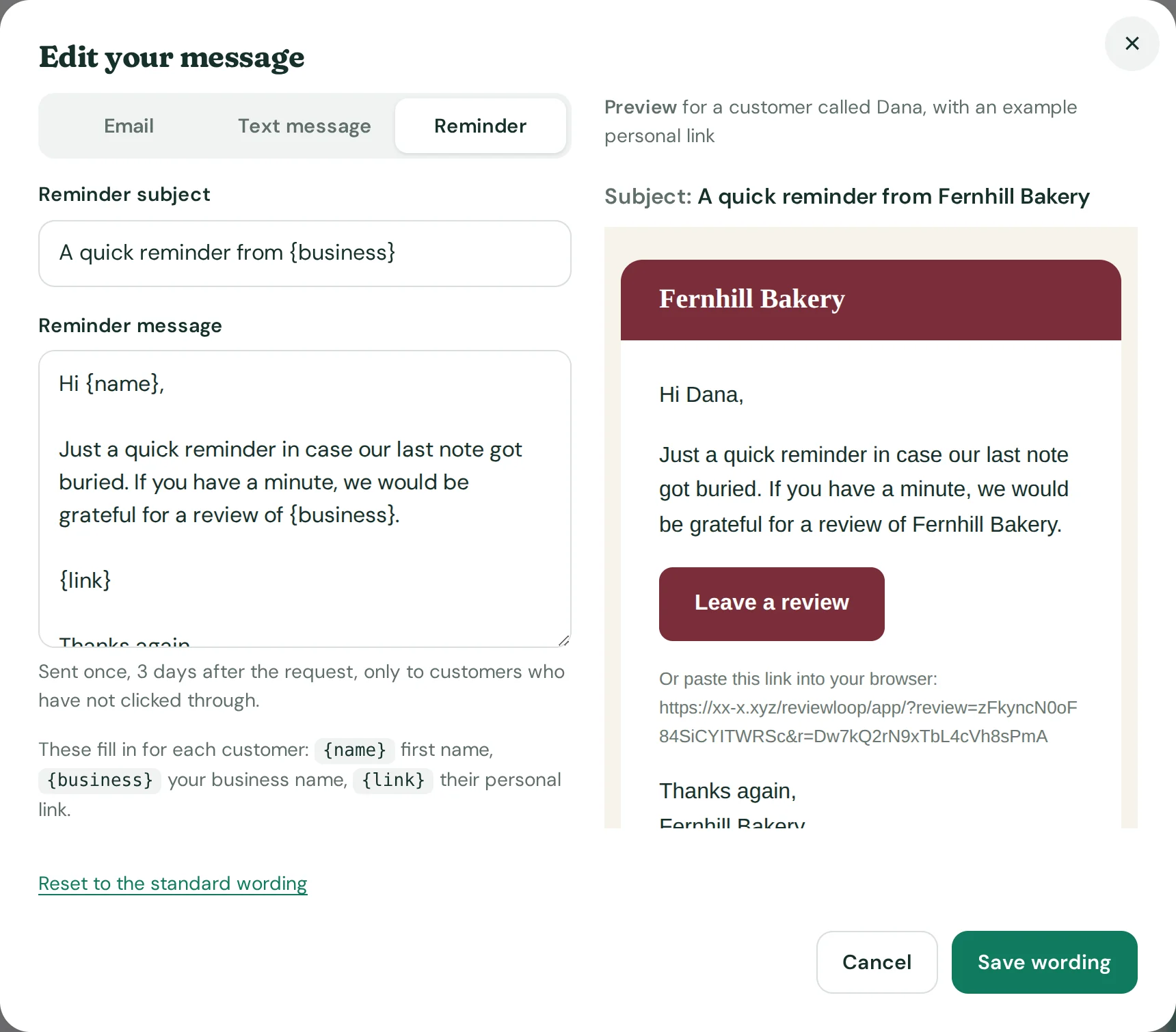
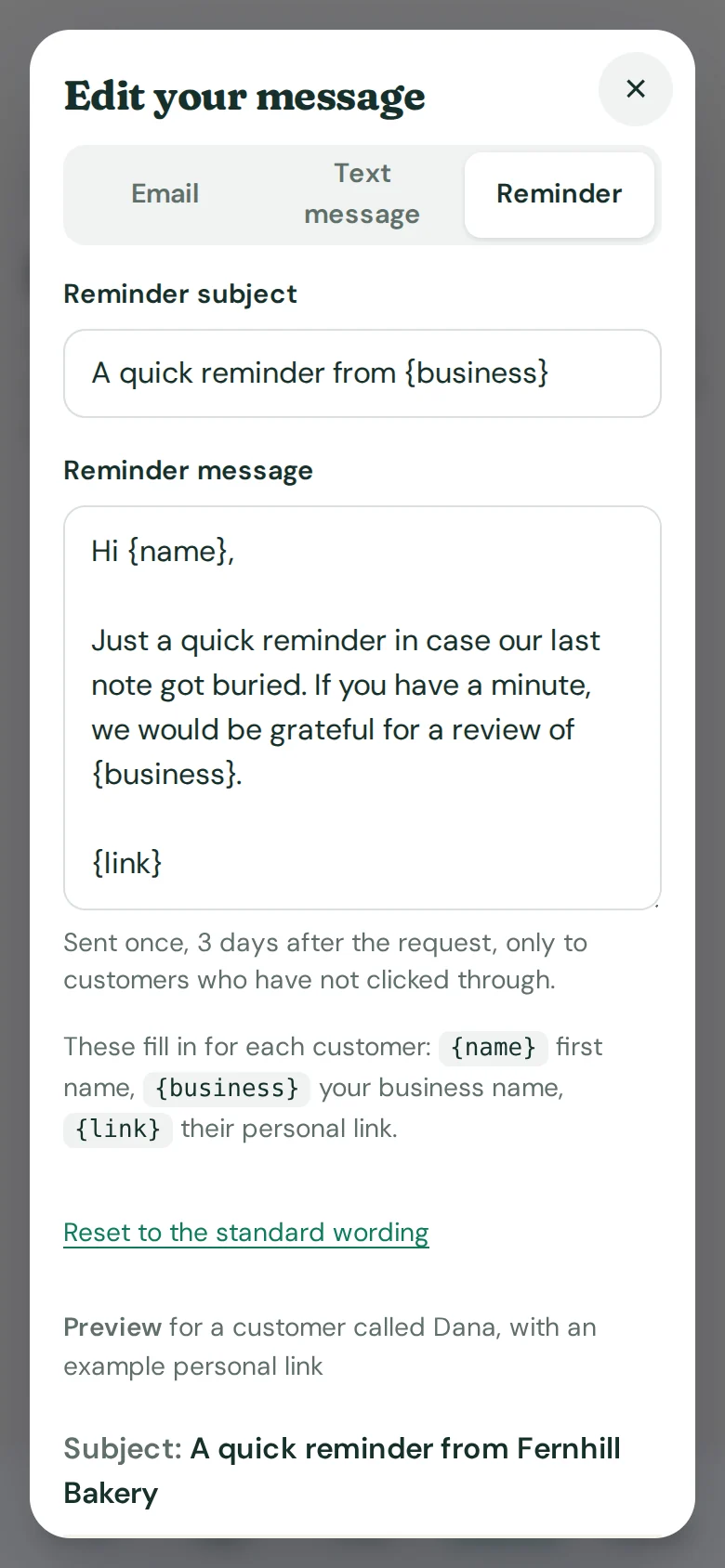
On Pro and Multi, a customer who has not clicked gets a single reminder three days after the request. Nobody is reminded twice, and nobody who clicked or asked to stop is reminded at all. You can switch reminders off for any location.
- One reminder per request, never more
- Your own reminder wording
- A reminder does not use up a request
Example data
Dashboard
The numbers that matter, and nothing else.
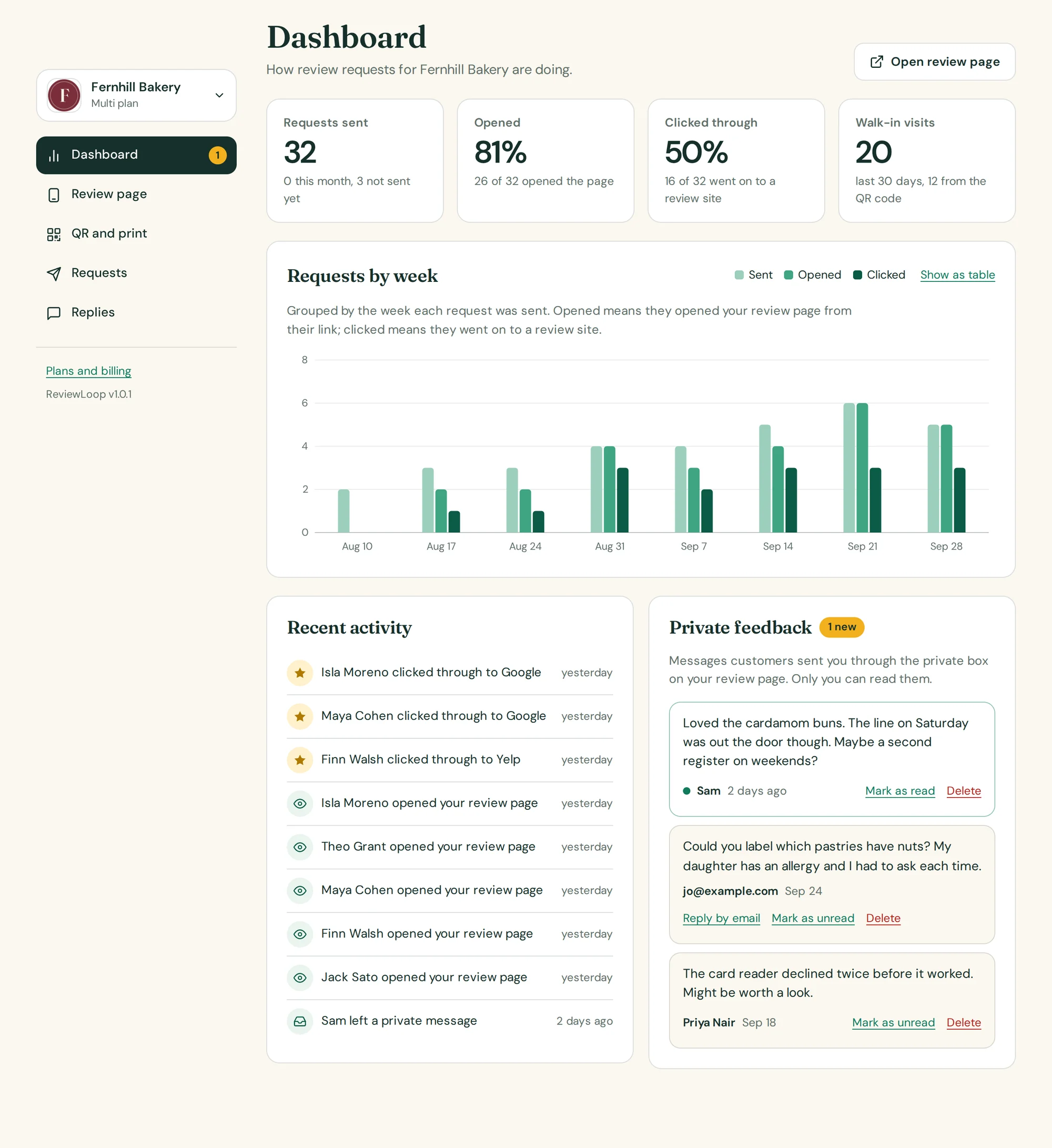
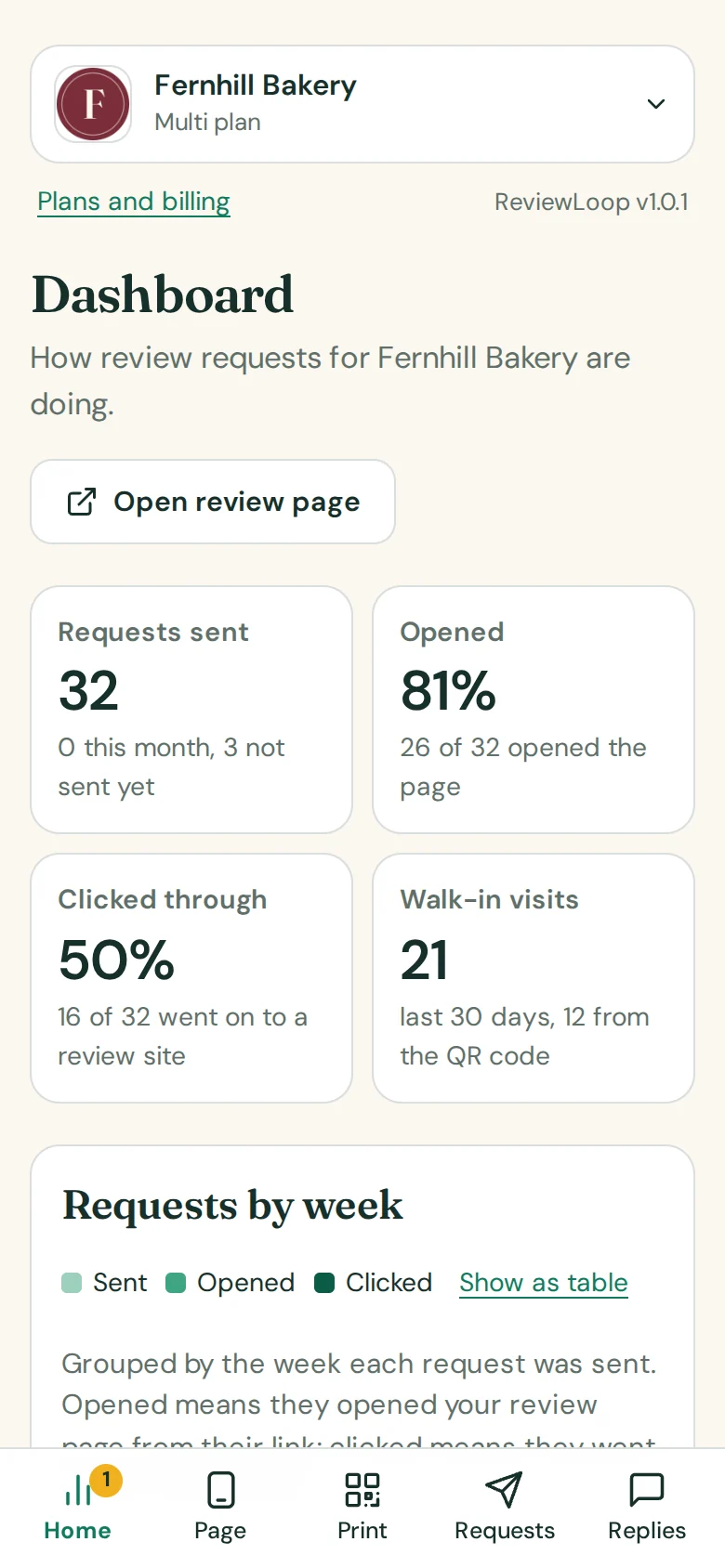
Requests sent, how many customers opened your page, how many went on to a review site, and how many people found the page on their own or through the QR code. A weekly chart shows the trend, with a table view if you prefer rows to bars.
- Open rate and click rate from real records, not estimates
- Walk-in visits and QR scans counted separately
- Recent activity, newest first
Example data
Private feedback
The things customers would rather tell you quietly.
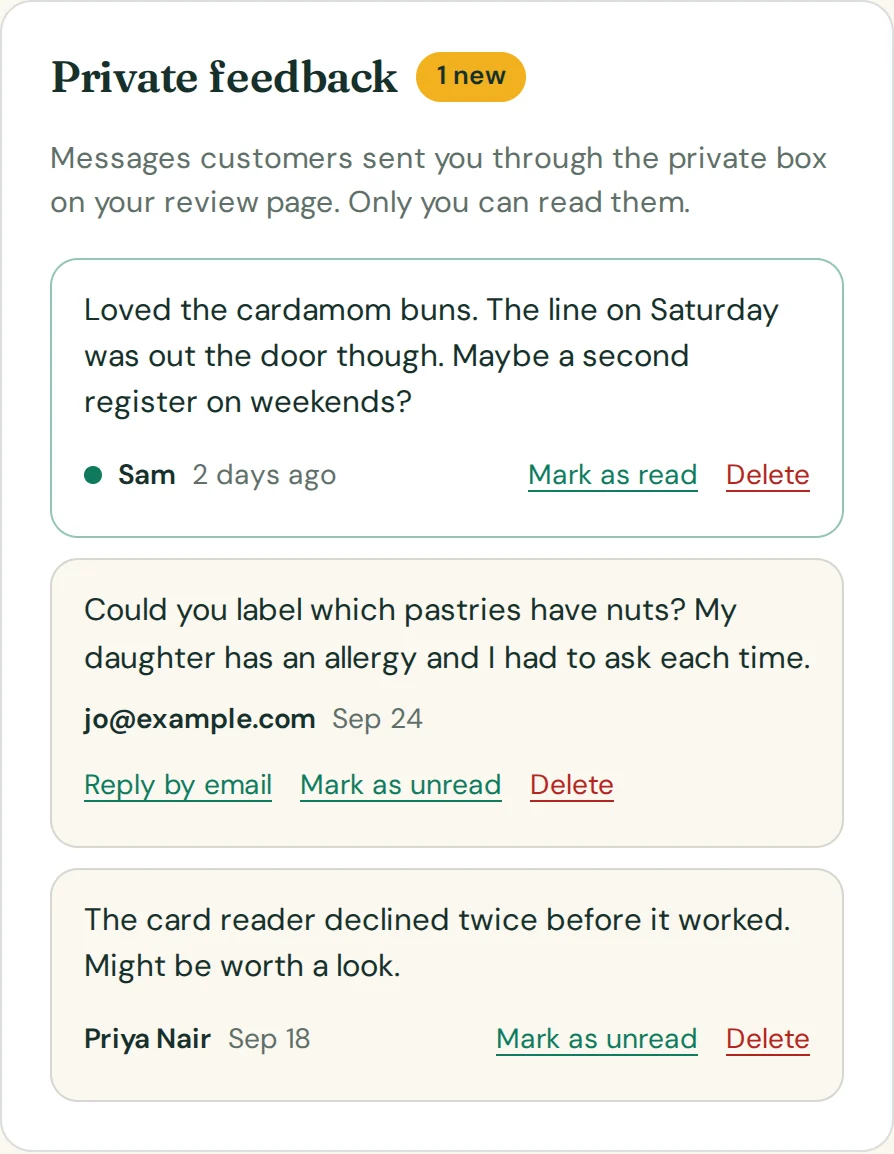
Messages from the private box land in an inbox on your dashboard and in your email. They are not posted anywhere. Mark them read, reply to the customer directly if they left a way to reach them, and fix what needs fixing.
- Emailed to the address you choose
- An unread badge in the menu
- Only you can read them
Reply assistant
Three replies to any review. Try it here.
Pick one of the example reviews. The replies below are written on the spot by the same engine the tool uses: it reads the star rating and the topics in the review, then answers in three tones.
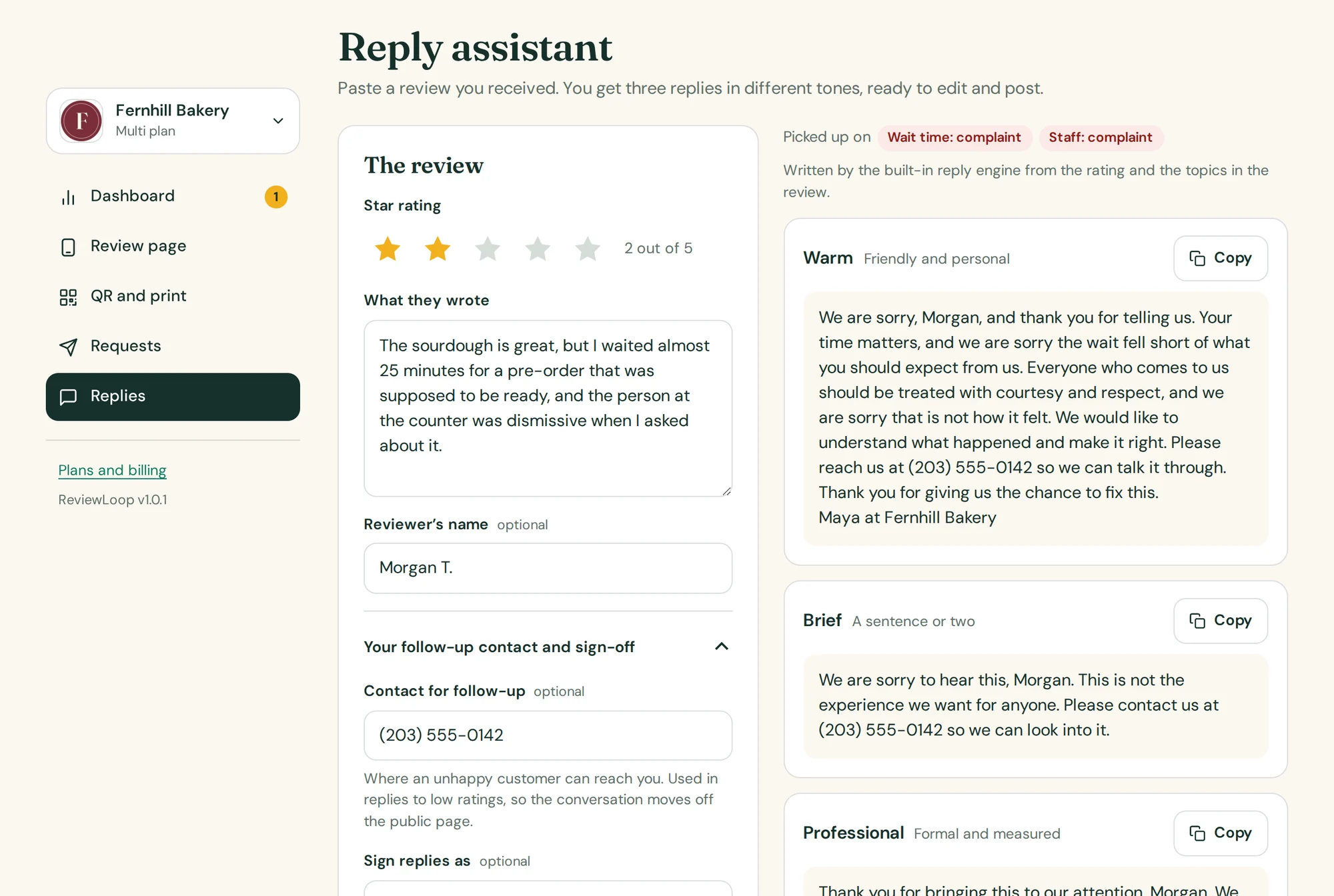
Replies to low ratings apologize without arguing, never mention details about the customer, and point to the contact you choose. Replying to your own reviews is part of Pro and Multi. Read every reply before you post it.

Open the tool and click through it.
An example bakery is already set up. Change the name to yours and the page, the prints and the emails change with it.